25 April, 2026
How POS Systems Improve Business Efficiency for Toronto Businesses
Learn the key POS software benefits for Toronto businesses, including faster checkout, inventory control, reporting, staff management, customer loyalty, and local support.
POS systems improve business efficiency by connecting sales, payments, inventory, customer records, staff activity, and reporting in one place. For Toronto businesses, the biggest POS software benefits include faster checkout, fewer manual errors, better stock control, stronger customer service, and clearer decisions based on real-time data.
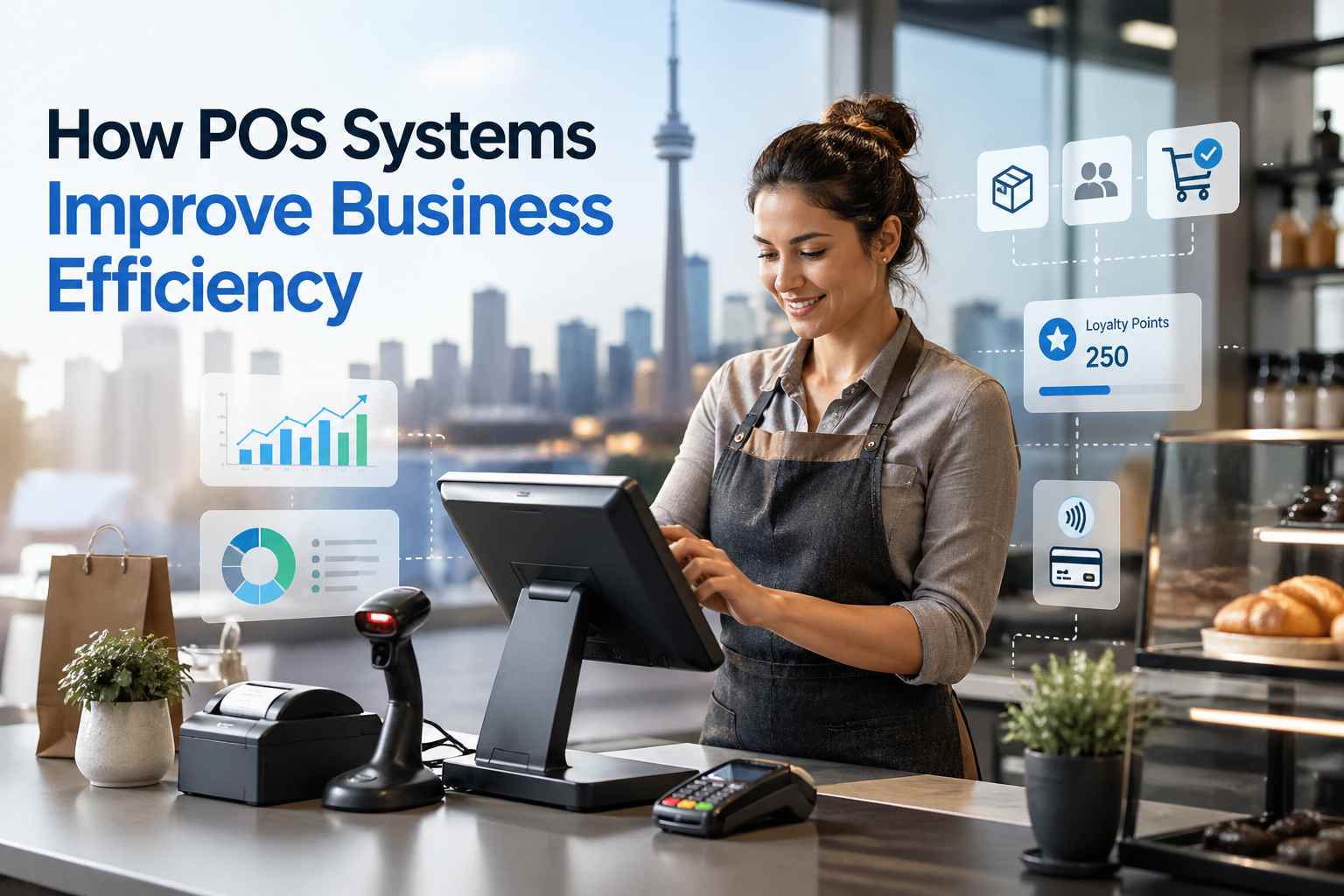
A modern POS system is no longer just a cash register. It is the operating centre of a retail store, restaurant, pharmacy, electronics shop, apparel store, grocery business, repair shop, or multi-location company. In a busy city like Toronto, where businesses serve local residents, office workers, students, tourists, and neighbourhood shoppers, the right POS software can reduce daily friction and help owners run with more confidence. SK Soft Solutions offers SK POS for Toronto businesses, with features for billing, inventory tracking, customer management, sales reporting, barcode use, multi-branch control, stock forecasting, reward points, payment processing, and industry-specific POS solutions for pharmacies, electronics stores, apparel retailers, restaurants, and more. Toronto businesses operate in one of Canada’s busiest and most competitive local markets. The City of Toronto’s 2025 Employment Survey shows that Toronto and East York account for 53.4% of city jobs, followed by North York at 19.2%, Etobicoke York at 15.4%, and Scarborough at 12.0%. Downtown Toronto alone had 664,650 jobs in 2025, the highest downtown employment count reported in five years. That matters for local businesses because customer expectations are high. A café in the Financial District needs to move quickly during the morning rush. A boutique in Queen West needs accurate inventory during weekend traffic. A restaurant in Scarborough needs smooth ordering, kitchen communication, and payment processing. A pharmacy in North York needs reliable stock tracking and secure customer records. Toronto’s wider market is also large. Statistics Canada reported that the Toronto census metropolitan area reached 7,106,379 people on July 1, 2024, after record annual growth. Even though the Toronto CMA saw virtually no population change from July 1, 2024, to July 1, 2025, the region remains Canada’s largest urban centre and a major business hub. For business owners, efficiency is not just about “saving time.” It affects revenue, customer satisfaction, stock availability, staff performance, and cash flow. A POS system, or point-of-sale system, is the software and hardware a business uses to process sales and manage daily operations. A basic POS system may include: A modern POS system usually goes further and includes: For example, SK POS includes inventory management, product details, barcode features, customer management, store reporting, stock forecasting, reward points, payment processing, multi-language support, and multi-store scalability. One of the clearest POS software benefits is faster checkout. Instead of manually entering prices, calculating discounts, checking stock, and writing receipts, staff can scan items, apply the right price, accept payment, and complete the transaction quickly. This is especially useful in Toronto areas with high foot traffic, such as Downtown Toronto, Union Station, Queen West, Yorkville, Kensington Market, The Annex, and Liberty Village. A good POS system helps with: Local example: A lunch counter near Bay Street may only have a short window to serve office workers. If checkout takes even 30 seconds too long per customer, the line grows, staff feel rushed, and customers may leave. A properly configured POS system helps the business serve more people without adding unnecessary pressure. Inventory problems are one of the biggest hidden costs for local businesses. If you overstock, money gets tied up in products that sit on shelves. If you understock, customers leave disappointed and may buy from a competitor. A POS system improves inventory control by tracking product movement in real time. When a product sells, the system updates stock automatically. Owners can see what is available, what is running low, and what needs reordering. This helps Toronto businesses avoid: Real example: An apparel store with locations in Yorkville and Scarborough may sell winter jackets faster in one area and formalwear faster in another. A POS system with inventory reporting lets the owner see location-specific trends and move stock where it is needed. Manual work slows businesses down. Many small business owners still track sales in one system, inventory in another, customer notes in a spreadsheet, and accounting somewhere else. That creates duplicate work and increases the chance of mistakes. A POS system reduces manual data entry by keeping important business activity connected. For example: This saves time at closing and reduces the stress of reconciling sales at the end of the day. Business owners cannot improve what they cannot see. A modern POS system gives owners access to reports that show what is really happening in the business. Useful POS reports include: Professional advice: Do not only check reports at tax time. Review POS reports weekly. Look for best sellers, weak categories, slow shifts, high refund activity, and products that sell well in one Toronto neighbourhood but not another. For example, a restaurant in Leslieville may notice that online orders spike on Friday evenings, while dine-in traffic is stronger on Saturday afternoons. That insight can guide staffing, prep work, and promotions. A POS system can help business owners manage staff more efficiently, especially when there are multiple cashiers, servers, managers, or locations. Useful staff features include: This helps reduce confusion and improves accountability. It also protects the business because not every employee needs access to every feature. Common mistake: Many businesses use one shared login for all staff. That makes it difficult to know who processed a refund, changed a price, or made a mistake. Separate staff logins are a simple but important control. Efficiency is not only an internal benefit. Customers feel it too. A good POS system helps customers by making service: For restaurants and cafes, this may mean faster ordering and fewer kitchen mistakes. For retail stores, it may mean quicker returns, accurate product availability, and better loyalty rewards. For repair shops, it may mean better tracking of service orders, parts, and customer history. Restaurants Canada reported that four in 10 Gen Z customers use restaurant apps or rewards programs to get discounts at quick-service restaurants, and loyalty programs can help restaurants build stronger guest relationships. That is why POS features like reward points, customer profiles, and purchase history matter. They help local businesses compete on more than price. Toronto businesses often grow beyond one location. A retailer may start in Scarborough and expand to North York. A restaurant may open in Downtown Toronto, then Mississauga or Markham. A service business may operate across Etobicoke, Vaughan, and Brampton. Without a connected POS system, multi-location management becomes difficult. A strong POS system helps owners manage: SK POS includes multi-branch control and store management features, which are especially useful for growing businesses that need better visibility across more than one location. Retail businesses benefit from POS software because they usually manage many products, sizes, styles, colours, prices, and promotions. A retail POS system can help with: This is useful for clothing stores in Queen West, gift shops near Downtown Toronto, specialty food stores in The Beaches, electronics shops in Scarborough, and convenience stores across the GTA. Restaurants and cafes need speed, accuracy, and coordination between front-of-house and back-of-house teams. A restaurant POS system can help with: SK Restaurant POS includes order and table management, kitchen display systems, and integrated payment solutions to support smoother restaurant operations. Pharmacies need accurate stock control and smooth billing. SK Pharmacy POS is designed to help streamline pharmacy operations, including inventory tracking. For a pharmacy in North York, Scarborough, or Etobicoke, this can reduce the risk of stock confusion and help staff serve customers more efficiently. Electronics retailers and repair shops often need to track serial numbers, IMEI numbers, warranties, repair orders, spare parts, and customer details. A POS system can support: SK POS includes IMEI and serial number management as well as repair management, which makes it suitable for electronics stores and cell phone repair businesses. Apparel businesses need to manage size, colour, style, seasonal items, returns, and promotions. A POS system helps apparel retailers track: SK Apparel POS includes barcode integration and reporting features, while SK POS also includes apparel inventory tools for sizes, colours, and styles. A quick-service restaurant near the Financial District may process hundreds of orders in a short period. A slow checkout system can create long lines and lost sales. POS software helps by speeding up transactions, organizing menu items, and reducing errors. A boutique in Queen West may see spikes during weekends, holidays, or local events. POS inventory tracking helps the owner know which products are selling and which items need restocking before the next rush. A grocery or convenience store in Scarborough may carry a large number of SKUs. Barcode scanning and automatic stock updates reduce manual work and improve checkout accuracy. A business with one location in North York and another in Downtown Toronto needs branch-level reporting. Multi-branch POS software lets the owner compare sales and inventory without waiting for separate reports. A repair shop or service business in Etobicoke may need customer records, service tracking, payment history, and parts inventory. A POS system keeps this information organized. Downtown businesses need speed, reliability, and reporting. Restaurants, cafes, retailers, and service businesses benefit from fast checkout and clear daily sales summaries. North York businesses often serve a mix of residential communities, offices, malls, and local plazas. POS software helps with inventory, billing, customer records, and multi-branch growth. Scarborough retailers, restaurants, grocery stores, pharmacies, and repair shops can benefit from barcode scanning, product tracking, payment flexibility, and multi-language support. Etobicoke businesses often serve both Toronto and Mississauga customers. POS systems help owners manage sales, stock, and staff while staying organized across a busy service area. Neighbourhood businesses often compete on experience. POS software supports faster service, personalized customer records, loyalty rewards, and accurate inventory. Businesses across the GTA can use POS software to manage growth, support multiple locations, and maintain better visibility over sales and inventory. POS software cost depends on the system, features, number of users, hardware, training, integrations, and support level. Common POS cost factors include: SK Soft Solutions lists POS pricing options that include a Gold plan at 30 CAD monthly, a Platinum plan at 300 CAD yearly, and a Diamond plan at 1500 CAD one-time, with a listed setup fee of 50 CAD; businesses should confirm current pricing before purchase because offers and packages can change. No. The cheapest POS system is not always the best choice. A low-cost POS may seem attractive at first, but it can become expensive if it lacks: The right question is not only “How much does POS software cost?” The better question is “How much time, stock loss, and missed revenue can this POS system help prevent?” Even the best POS system can become a daily headache if you neglect setup and maintenance. A POS system works best when it is maintained properly. Many business problems happen because owners set up the system once and never review it again. Weekly POS Maintenance Checklist Use this checklist once a week: Monthly POS Maintenance Checklist Once a month, review: Data and Security Warnings Do not give every employee full manager access. Do not use one shared login for all staff. Do not ignore software updates. Do not store sensitive customer information outside approved systems. A POS system handles important business data, so access control and regular review are essential. As a local POS software provider, these are the mistakes we often see businesses make before they upgrade. Mistake 1: Choosing Based Only on Price Price matters, but it should not be the only factor. A cheaper system that creates manual work can cost more over time. Mistake 2: Ignoring Inventory Features Many owners focus on checkout but forget inventory. For retail, grocery, pharmacy, apparel, and electronics businesses, inventory control is one of the most valuable POS software benefits. Mistake 3: Not Training Staff Properly Even good software fails when staff do not know how to use it. Training should cover sales, returns, discounts, reports, inventory updates, and user permissions. Mistake 4: Not Planning for Growth A business may start with one location, but if expansion is possible, choose software that can support multi-branch control from the beginning. Mistake 5: Not Reviewing Reports Reports are only useful when someone reads them. Set a weekly time to review sales trends, low stock, refunds, and profit data. A cloud-based POS stores data online and allows authorized users to access reports from different devices or locations. Best for: A traditional POS may store more information locally on one machine or local server. Best for: Which Is Better? For many Toronto businesses, cloud-based or hybrid POS software is more flexible because owners need real-time data, remote visibility, and easier scalability. However, the best choice depends on your business type, budget, internet setup, and workflow. SK Soft Solutions Inc. provides SK POS for Toronto businesses that need reliable, practical, and easy-to-use POS software. The system is designed to simplify billing, inventory tracking, customer management, sales reporting, and business operations for retailers and other local companies. Local Business-Focused Features SK POS supports: Industry-Specific POS Options SK Soft Solutions highlights POS options for: Support and Training SK POS includes setup assistance, online training, and ongoing support, helping businesses use the system properly instead of struggling through setup alone. Built for Growth Whether you are running a single store in Toronto or planning multiple locations across the GTA, a scalable POS system gives you better control over sales, inventory, reporting, and customer experience. A POS system can help your Toronto business save time, reduce errors, improve inventory control, serve customers faster, and make better decisions with real-time reporting. Whether you run a retail store, restaurant, pharmacy, electronics shop, apparel store, repair business, or multi-location company, the right POS software can make daily operations much easier. To see how SK POS can support your business, book a demo or learn more here: Best POS Software Toronto. POS systems improve business efficiency in Toronto by speeding up checkout, reducing manual work, tracking inventory, managing customer data, and giving owners real-time sales reports. The biggest POS software benefits for small businesses are faster transactions, better inventory control, fewer errors, easier reporting, and improved customer service. Yes, POS software is useful for Toronto restaurants because it helps manage orders, tables, payments, kitchen communication, tips, customer loyalty, and sales reports. POS software in Toronto can cost a monthly, yearly, or one-time fee depending on features, setup, hardware, users, integrations, and support needs. Yes, a POS system helps with inventory management by updating stock after each sale, showing low-stock items, tracking product movement, and reducing overstock or stockouts. A Toronto business should upgrade its POS system when checkout is slow, inventory is inaccurate, reports are unclear, staff use manual workarounds, or the business is expanding. Yes, SK POS supports different business types, including retail stores, restaurants, cafes, pharmacies, electronics shops, apparel stores, grocery businesses, repair shops, and wholesalers.Why Business Efficiency Matters in Toronto
What Is a POS System?
The Main POS Software Benefits for Business Efficiency
1. Faster Checkout and Shorter Lines
2. Better Inventory Control
3. Less Manual Data Entry
4. Clearer Sales Reporting
5. Better Staff Management
6. Improved Customer Experience
7. Easier Multi-Location Management
How POS Systems Help Different Toronto Business Types
Retail Stores
Restaurants and Cafes
Pharmacies
Electronics and Repair Shops
Apparel Stores
Local Toronto Scenarios Where POS Software Makes a Difference
Downtown Toronto Lunch Rush
Queen West Retail Traffic
Scarborough Grocery or Convenience Store
North York Multi-Branch Business
Etobicoke Service Business
POS Software Benefits in Toronto and Nearby Areas
POS Software in Downtown Toronto
POS Software in North York
POS Software in Scarborough
POS Software in Etobicoke
POS Software in Yorkville, Queen West, Liberty Village, Leslieville, and The Beaches
POS Software in Mississauga, Markham, Vaughan, Richmond Hill, Brampton, and Oakville
How Much Does POS Software Cost in Toronto?
Is a Cheap POS System Always Better?
POS System Maintenance and Prevention Tips
Common Client Mistakes When Choosing POS Software
Cloud-Based POS vs. Traditional POS
Cloud-Based POS
Traditional POS
Why Choose Us for POS Software in Toronto
Ready to Improve Business Efficiency With POS Software?
Local FAQs About POS Systems in Toronto
1. How do POS systems improve business efficiency in Toronto?
2. What are the biggest POS software benefits for small businesses?
3. Is POS software useful for restaurants in Toronto?
4. How much does POS software cost in Toronto?
5. Can a POS system help with inventory management?
6. When should a Toronto business upgrade its POS system?
7. Does SK POS support different business types?