06 May, 2026
How POS Software Helps Small Businesses in Toronto Manage Sales & Inventory
Learn how POS software helps Toronto small businesses manage sales, inventory, staff, reporting, and customer demand with fewer errors and better stock control.
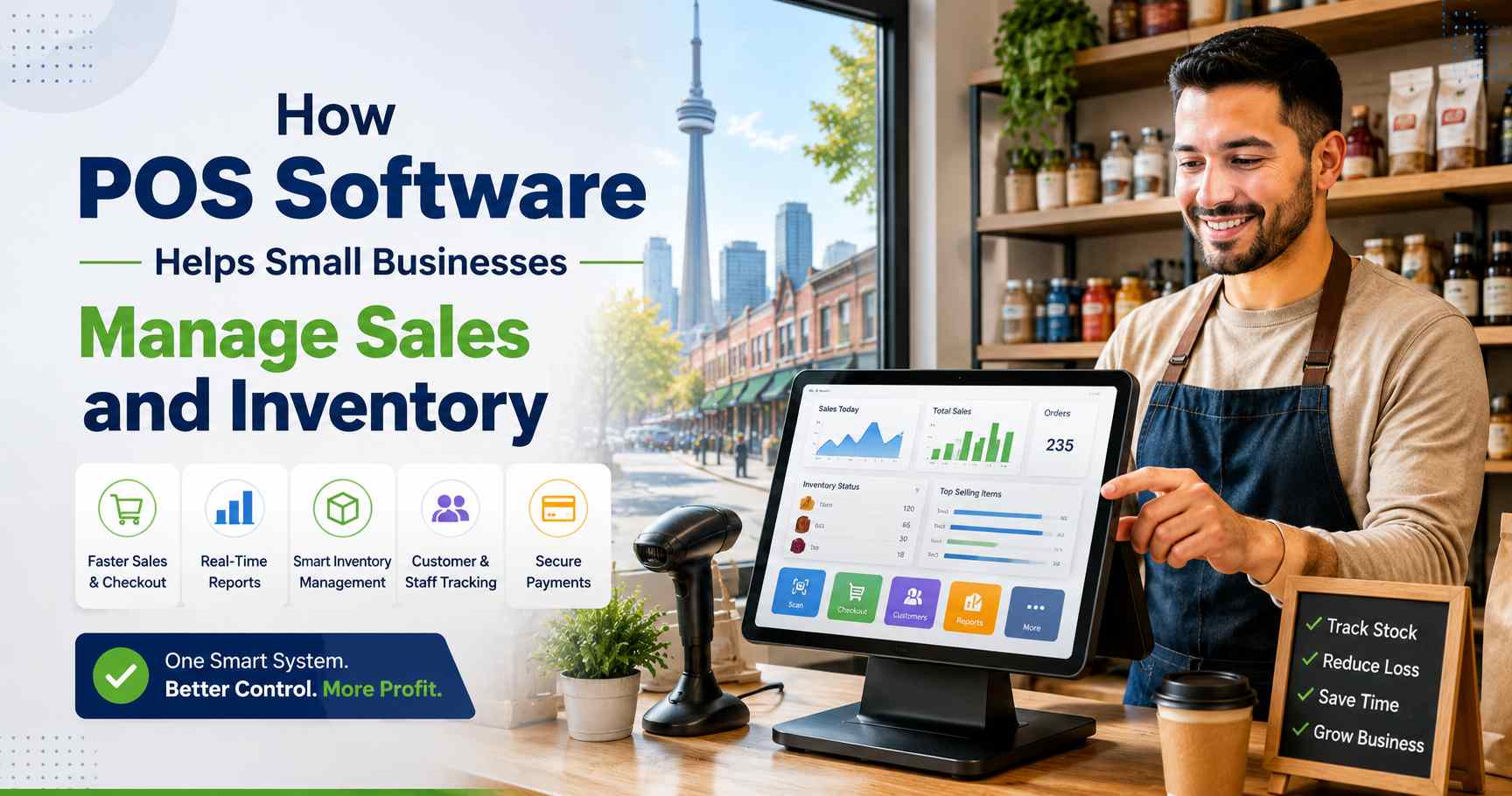
POS software helps small businesses manage sales and inventory by keeping checkout, payments, stock levels, reports, customers, and staff activity in one place. For Toronto business owners, this means fewer mistakes, faster billing, better stock control, and clearer daily reports. If you run a retail store, restaurant, pharmacy, grocery shop, repair store, salon, or small service business, the right POS software for small business Toronto operations can save hours of manual work each week. It can also help you stop guessing what to order, what to sell, and what needs attention. Toronto is a busy city for small businesses. The 2025 Toronto Employment Survey counted 74,560 business establishments in the city, and 93.3% of Toronto businesses had fewer than 50 employees. That means most local businesses need simple tools that help them work faster without adding more admin work. POS software stands for point of sale software. It is the system a business uses to: A basic cash register only records a sale. A modern POS system does much more. It shows what sold, when it sold, who sold it, and how much stock is left. For example, SK POS is built to help Toronto retailers, wholesalers, restaurants, pharmacies, grocery stores, and service businesses manage billing, inventory, customers, sales reports, barcode scanning, and daily tasks from one platform. Toronto is not an easy market. Rent is high. Staff can be hard to find. Customers expect fast service. Many businesses also sell both in-store and online. A small mistake can cost real money. A café in Downtown Toronto may run out of cups during the morning rush. A clothing shop in Queen West may order too many jackets before the weather changes. A convenience store in Scarborough may lose track of hundreds of small items. A salon in North York may sell hair products but forget to update stock. These problems are common. They often happen when owners use paper notes, spreadsheets, or old cash registers. POS software helps fix this by giving the owner real-time information. It helps answer questions like: Toronto also has strong business activity across many areas. The city recorded over 1.6 million jobs in 2025, which shows how large and active the local economy is. Busy areas need systems that can keep up with daily sales, foot traffic, and changing demand. A good POS system helps staff complete sales quickly. They can scan a barcode, select an item, apply tax, accept payment, and give a receipt in seconds. This matters during busy times. Think of: Fast checkout keeps customers moving. It also lowers the chance of mistakes. Every sale is saved in the system. You can check sales by day, week, month, product, staff member, or location. This helps owners understand the business better. A bakery in Etobicoke may learn that croissants sell best before 10 a.m. A clothing store in Queen West may see that small and medium sizes sell faster than extra-large. A repair shop in Scarborough may find that phone screen repairs bring in more profit than accessories. Without POS reports, these details are easy to miss. Your best-selling product is not always the product you think is best. A POS report can show: This helps you make smarter buying choices. For example, if one brand of phone charger sells every week and another barely moves, you know which one to reorder. A POS system can give each staff member a login. This helps track who handled each sale, refund, discount, or cash drawer close. This is not about blaming staff. It is about keeping clean records. If there is a mistake, the owner can find it faster. If staff need more training, the owner can see where help is needed. Discounts can help sell more, but they can also reduce profit if used the wrong way. POS software lets owners set rules for: This helps staff apply discounts correctly. A retail store in Downtown Toronto can run a weekend sale without asking every employee to remember the rules. This is one of the biggest benefits. When a product is sold, the POS system updates the stock count. This helps you know what is really available. For example, if a Scarborough grocery store sells 12 bags of rice, the system removes 12 from inventory. If a North York salon sells three bottles of shampoo, the system lowers the stock count right away. SK POS includes inventory management, automatic stock updates, sales reports, and real-time stock tracking in its POS packages. Low-stock alerts help you order before products run out. This is useful for: A Toronto café can set low-stock alerts for coffee beans, oat milk, cups, lids, and napkins. A pharmacy can set alerts for common products. A clothing store can track fast-selling sizes. This helps prevent lost sales. Running out of products is bad. But buying too much is also a problem. Overstocking ties up cash. It takes up storage space. It can also lead to waste, damage, or old stock. POS software shows which items are moving slowly. You can then: This is very useful for seasonal Toronto businesses. Winter items, summer drinks, holiday gifts, and patio supplies can all change quickly based on weather and demand. Many small businesses sell products with variations. A clothing store may track: An electronics shop may track: A grocery store may track: SK POS includes product details, barcode support, IMEI and serial number management, sales management, and inventory tools that help businesses keep product records organized. Some Toronto businesses start with one location and then grow into the GTA. A store may open in: Multi-location inventory can get messy without a POS system. A POS system helps owners see stock at each branch. If one location has too much stock and another is running low, products can be moved instead of ordered again. SK POS includes multi-branch control in its plans, which is useful for growing businesses. Manual tracking can work when a business is very small. But it becomes harder as sales grow. A simple rule is this: if you are checking stock by memory, you are already losing time. A clothing store in Queen West may sell shirts, jackets, jeans, shoes, and accessories. Each product may have sizes and colours. POS software helps the owner know: This helps the store avoid ordering too much of the wrong item. A café near office towers may get heavy traffic before work and at lunch. POS software helps track: This helps the owner prepare for the next rush. A convenience store may carry hundreds or thousands of items. POS software helps manage: This saves time and reduces missed items. A salon may sell services and products. POS software can track: This helps the owner see both service income and product income. A restaurant needs fast order entry and clear sales reports. POS software helps with: SK Restaurant POS is designed to help cafés and restaurants manage orders, tables, payments, staff activity, kitchen workflow, and daily sales from one system. A POS system only works well if it is set up the right way. Here are mistakes to avoid: Names like “shirt blue” or “food item 1” cause confusion. Use clear names, such as: Clear names help staff and reports. SKUs and barcodes make stock easier to track. They also make checkout faster. Not every staff member needs full access. Use different permission levels for: This protects your business. A POS system can be simple, but staff still need training. Train them on: Reports are only useful if you read them. Set a weekly time to check: The cost of POS software depends on the business size, features, hardware, setup, and support. Common POS costs include: SK POS lists packages that include sales processing, accounts management, inventory management, warehouse management, order management, multi-branch control, automatic stock updates, sales reports, real-time stock tracking, online training, and support. Its listed pricing includes a Gold monthly plan at 30 CAD/month, a Platinum yearly plan at 300 CAD/year, and a Diamond one-time plan at 1500 CAD, each with a listed setup fee of 50 CAD. Other POS providers may price differently. For example, Square Canada lists a $0 monthly fee for its basic POS app, a 2.5% rate for major credit cards, a 0.75% + 7¢ rate for debit chip and PIN or tap, and hardware starting at $69. The cheapest POS is not always the best choice. A low-cost system may cost more later if it lacks inventory tools, support, reporting, or multi-location control. Before choosing, ask: A POS system handles important business data. It may also handle customer details and payment activity. That means security matters. The PCI Security Standards Council says PCI standards are made to protect payment data throughout the payment lifecycle. In Canada, PIPEDA applies to private-sector businesses that collect, use, or share personal information during commercial activity. Use these safety steps: A simple warning: never let all staff use the same login. It makes mistakes harder to track and can create security risks. POS software needs clean data. If the product data is messy, the reports will also be messy. Use this simple plan. Follow these steps: These habits keep your POS system accurate. A good POS system should support the way local businesses work in different parts of Toronto and the GTA. Downtown businesses often need fast checkout, strong reporting, and staff controls. This is important for cafés, quick-service restaurants, convenience stores, and retail shops near offices, condos, and transit stops. Scarborough businesses often include grocery stores, restaurants, repair shops, pharmacies, and family-run retail stores. These businesses need barcode support, inventory tracking, supplier records, and simple billing. North York has many salons, restaurants, retail stores, clinics, and service businesses. POS software can help with staff sales, customer records, product inventory, and daily reports. Etobicoke businesses can use POS software to manage stock, track supplier costs, and improve checkout. This is helpful for bakeries, local stores, grocery shops, and service businesses. Restaurants, cafés, and small shops in East York and along The Danforth can use POS software to manage rush hours, customer loyalty, payments, and inventory. These areas have strong retail, food, and service activity. POS software helps local owners track what sells, manage customer demand, and keep service fast. Businesses growing across the GTA need multi-location control. A POS system helps owners check stock, sales, staff activity, and reports from one place. SK Soft Solutions helps Toronto businesses manage sales, inventory, billing, reports, and daily operations with SK POS. The system is made for many business types, including retailers, wholesalers, restaurants, pharmacies, grocery stores, repair shops, and service businesses. Toronto businesses need tools that are simple, fast, and practical. SK POS is designed to help owners reduce manual work, track stock, and make better decisions with clear data. SK POS helps track stock levels, product movement, low-stock items, and reorder needs. This can help reduce overstocking and stock mistakes. The system helps track daily sales, invoices, returns, and staff performance. This gives owners a better view of the business. Barcode support helps speed up checkout and reduce typing errors. Product details help keep item records clean and organized. SK POS includes online training and support options, which can help owners and staff learn the system faster. If you want to manage sales and inventory with less stress, it may be time to move from manual tracking to a proper POS system. The right POS software for small business Toronto owners can help you sell faster, track stock better, reduce errors, and make smarter choices each day. Ready to improve your sales and inventory system? Visit the main service page here: POS software for small businesses in Toronto is a system that helps manage sales, payments, inventory, customers, staff activity, and reports from one place. POS software helps with inventory by updating stock after each sale, sending low-stock alerts, and showing which products sell fast or slow. Yes, POS software is better than a basic cash register because it tracks sales, inventory, staff, customers, and reports in real time. POS software in Toronto can cost a monthly fee, yearly fee, one-time fee, or payment processing rate, depending on the provider, hardware, setup, and features. Yes, POS software can help Toronto restaurants manage orders, payments, staff activity, daily sales, tables, kitchen workflow, and inventory. Yes, many POS systems support multiple locations, so owners can track sales, stock, and staff activity across Toronto and nearby GTA areas. You should call a POS professional in Toronto when your stock counts are wrong, checkout is slow, reports are unclear, or you need help setting up products, barcodes, and staff access. What Is POS Software?
Why Toronto Small Businesses Need Better Sales and Inventory Control
How POS Software Helps Small Businesses Manage Sales
1. It Makes Checkout Faster
2. It Tracks Every Sale
3. It Helps Owners See Best-Selling Products
4. It Improves Staff Accountability
5. It Makes Discounts Easier to Control
How POS Software Helps Small Businesses Manage Inventory
1. It Updates Stock After Every Sale
2. It Sends Low-Stock Alerts
3. It Reduces Overstocking
4. It Tracks Product Variations
5. It Helps With Multi-Location Stock
POS Software vs. Manual Tracking
Task
Manual Tracking
POS Software
Checkout Slow and easy to mistype Fast and organized Sales reports Built by hand Ready in the system Inventory count Often delayed Updates after sales Staff tracking Hard to check Linked to staff login Low-stock warning Based on memory Automatic alert Multi-location stock Hard to manage Central view Customer records Separate notes Saved in one place Real Local Examples
Retail Store in Queen West
Café in Downtown Toronto
Convenience Store in Scarborough
Salon in North York
Restaurant in The Danforth
Common Mistakes Small Businesses Make With POS Software
Mistake 1: Using Messy Product Names
Mistake 2: Not Using SKUs or Barcodes
Mistake 3: Giving Everyone Admin Access
Mistake 4: Not Training Staff
Mistake 5: Ignoring Reports
Cost of POS Software in Toronto
Safety and Security Tips for POS Systems
Prevention and Maintenance Tips for Better POS Accuracy
Daily Tasks
Weekly Tasks
Monthly Tasks
Before Adding a New Product
POS Software for Toronto and Nearby Areas
Downtown Toronto
Scarborough
North York
Etobicoke
East York and The Danforth
Queen West, King West, Yorkville, Liberty Village, Leslieville, and The Beaches
Mississauga, Brampton, Markham, Vaughan, and Richmond Hill
Why Choose Us for POS Software in Toronto
Local Business Focus
Strong Inventory Tools
Sales and Reporting Support
Barcode and Product Management
Training and Support
Get POS Software for Your Toronto Small Business
Frequently Asked Questions (FAQs)
What is POS software for small businesses in Toronto?
How does POS software help with inventory?
Is POS software better than a cash register?
How much does POS software cost in Toronto?
Can POS software help restaurants in Toronto?
Can POS software work for multiple business locations?
When should I call a POS professional in Toronto?