23 May, 2026
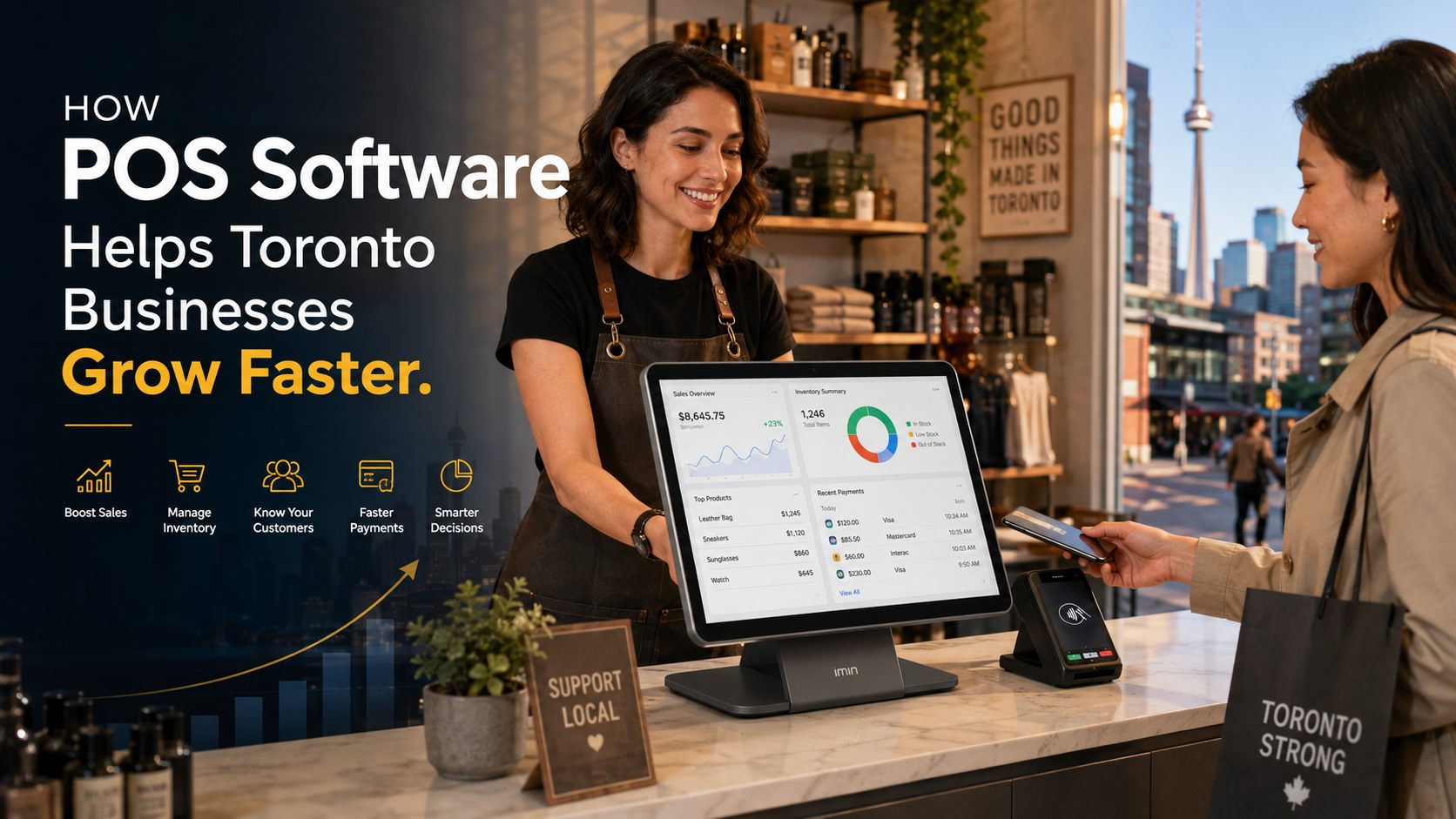
How POS Software Helps Toronto Businesses Grow Faster
POS software helps Toronto businesses grow faster by improving checkout speed, inventory control, sales reporting, customer management, and multi-location operations. With the right POS system, local retailers, restaurants, pharmacies, grocery stores, and service businesses can reduce manual errors, make smarter decisions, and serve customers more efficiently across Toronto and the GTA.
POS software helps Toronto businesses grow faster by turning everyday sales, inventory, billing, customer, and reporting tasks into one connected system. Instead of relying on paper notes, spreadsheets, manual stock counts, and disconnected payment tools, a business owner can see what is selling, what is running low, who is buying, and where money is being made. For Toronto retailers, restaurants, pharmacies, grocery stores, repair shops, wholesalers, and service businesses, the right POS system is not just a checkout tool. It is a growth system that helps reduce mistakes, speed up service, improve inventory control, and make better decisions with real business data. Toronto is a competitive market. The City of Toronto’s 2024 Employment Survey counted 73,180 business establishments and 1,600,300 jobs citywide, with new businesses continuing to open across the city. That means local businesses in Downtown Toronto, Scarborough, North York, Etobicoke, Mississauga, Brampton, Markham, Vaughan, and the wider GTA need efficient systems to compete and grow. POS software, or point-of-sale software, is a system businesses use to manage sales, billing, payments, inventory, customer records, reports, and daily operations from one platform. A modern POS system can help with: For a growing Toronto business, POS software for business growth means using the checkout point as a source of real business intelligence. Every transaction becomes useful data. Toronto has one of the most active local business environments in Canada. The city has the largest number of Business Improvement Areas of any urban centre in the world, representing about 45,000 members, according to the City of Toronto. That matters because many Toronto businesses are surrounded by direct competition. A restaurant on The Danforth, a clothing store in Queen West, a pharmacy in Scarborough, a grocery store in North York, or an electronics shop in Etobicoke cannot afford slow checkout, poor stock control, or unclear sales reports. A good POS system helps solve those problems by giving owners better control over the work happening every day. Speed matters in busy Toronto neighbourhoods. During lunch hours Downtown, weekend traffic in Yorkville, rush periods near transit hubs, or evening service at a restaurant in Scarborough, customers do not want to wait while staff manually calculate totals or search for product prices. POS software speeds up checkout by allowing staff to: For restaurants and cafés, a POS system can help manage orders, tables, payments, staff activity, and kitchen workflow from one place. SK POS, for example, lists restaurant POS features for cafés and restaurants that support order handling, table management, payments, and daily sales tracking. Inventory mistakes are one of the biggest silent profit killers for small and medium-sized businesses. A business may think a product is in stock when it is not. Another may keep buying slow-moving items while best-sellers run out. POS software helps prevent this by updating stock levels as sales happen. For example: SK POS includes inventory management, barcode support, real-time stock tracking, product details, warehouse management, stock forecasting, and serial number management features, which are all useful for businesses that need accurate stock control. Many Toronto business owners know their business by instinct, and that experience matters. But growth becomes easier when instinct is supported by clear data. POS reporting can show: This helps owners answer practical questions: SK POS promotes sales reports, custom dashboards, profit and loss summaries, real-time stock tracking, and business analytics features designed to help owners make better decisions with clear data. Customers remember smooth service. They also remember long waits, billing mistakes, unavailable products, and messy returns. POS software improves customer experience by helping staff: Customer management is especially useful for repeat-business industries such as salons, pharmacies, repair shops, restaurants, apparel stores, and specialty retailers. For example, a clothing store in Yorkville can use customer records to understand buying preferences. A repair shop in Scarborough can track repair history. A pharmacy can keep customer details organized. A restaurant can build repeat visits through better service and faster checkout. SK POS includes customer management and customer reward points features, which can support repeat sales and stronger customer relationships. Toronto is not one single business market. There are many local markets inside one city. A business in Downtown Toronto has different pressures than a store in Scarborough, North York, Etobicoke, Kensington Market, Leslieville, The Junction, or Yorkville. Downtown businesses often deal with lunch rushes, office traffic, tourists, events, and changing hybrid-work patterns. The 2024 Toronto Employment Survey reported that Downtown Toronto had 643,350 jobs in 2024 and gained 42,340 jobs from the previous year. It also noted that hybrid work affects how many people are physically Downtown on different days. That means many Downtown businesses need flexible sales reporting. A café may need to compare Monday to Thursday lunch traffic. A retailer may need to understand which days bring real foot traffic. A POS system helps reveal those patterns. Customers expect to pay by debit, credit card, mobile wallet, cash, or online payment. Payments Canada reported that Canadian payment activity reached 22.5 billion transactions worth $12.2 trillion in 2024, showing how large and active the payments environment has become. For Toronto businesses, this means payment flexibility is no longer optional. A POS system should support fast, secure, and convenient payment processing. A boutique in Queen West sells clothing in different sizes, colours, and styles. Without POS software, staff may rely on spreadsheets or manual counts. That leads to missing sizes, wrong stock numbers, and slow checkout. With a POS system, the store can: This helps the store reduce dead stock and keep best-selling items available. A pharmacy needs accurate billing, inventory control, customer records, and daily sales reports. Mistakes can affect customer trust and business operations. With pharmacy POS software, the business can: SK POS specifically lists SK Pharmacy POS as a solution for Toronto pharmacies to manage billing, medicine stock, customer records, and daily sales. A restaurant needs order accuracy, fast service, and clear daily reports. Without a POS system, orders may be handwritten, misread, delayed, or entered incorrectly. A restaurant POS can help by: This helps the restaurant serve more customers with fewer mistakes. Electronics retailers often sell products that require warranty tracking, serial numbers, IMEI numbers, and repair records. A strong POS system can help: SK POS includes IMEI and serial number management as well as repair management, making it useful for electronics retailers and service shops. A business-focused POS should make sales fast and accurate. Look for: Inventory control is one of the strongest reasons to upgrade from a basic cash register. Useful features include: Customer data helps businesses increase repeat sales. Look for: A growth-focused POS should provide reports that owners can actually understand. Important reports include: For businesses expanding from one Toronto location to multiple branches in Scarborough, North York, Etobicoke, Mississauga, Brampton, Markham, or Vaughan, multi-branch control is essential. It helps owners: SK POS lists multi-branch control as part of its package features, which supports growing businesses with more than one location. The cost of POS software in Toronto depends on the features, number of users, business size, number of branches, hardware needs, setup requirements, and support level. Common POS costs include: According to SK Soft Solutions’ published POS pricing, SK POS includes a Gold monthly package listed at $30 CAD monthly, a Platinum yearly package listed at $300 CAD yearly, and a Diamond one-time package listed at $1,500 CAD, with a listed setup fee of $50 CAD. Pricing details can change, so businesses should confirm current pricing directly before choosing a package. Do not compare POS systems only by monthly price. A cheaper POS may cost more over time if it lacks stock control, reporting, support, or multi-branch features. Use this checklist: Low prices are attractive, especially for a new business. But if the system cannot manage inventory, reports, customers, or branches, it may slow growth. Even good software fails when staff do not know how to use it. Training should cover sales, returns, discounts, customer lookup, stock updates, and end-of-day reports. If your POS says one number and your spreadsheet says another, your team will not know which one to trust. Use the POS as the main source of business data. Some owners install POS software but never review reports. That means they miss the main growth benefit. Review reports weekly, not only during tax season. If your checkout is slow, inventory is inaccurate, or sales reports are unclear, your business may already be losing money. POS software handles sensitive business and customer information. That means security matters. Important warnings: Professional advice: create different access levels for owners, managers, cashiers, servers, and inventory staff. This helps reduce fraud, mistakes, and unauthorized changes. SK POS promotes secure transactions, safe data handling, regular backups, and support for smooth payment processing. A POS system should be maintained like any important business tool. Good maintenance prevents downtime, errors, and lost sales. Toronto businesses often see seasonal changes around holidays, back-to-school periods, summer events, winter shopping, restaurant rushes, and community festivals. Before busy periods: Downtown Toronto businesses need fast checkout and strong reporting because customer traffic can change by hour, weekday, event, and season. Cafés, restaurants, convenience stores, salons, and retailers benefit from real-time reports and efficient payments. Scarborough businesses often serve diverse communities and busy local plazas. Pharmacies, grocery stores, restaurants, repair shops, and retail stores can benefit from inventory tracking, customer records, barcode scanning, and multi-language support. SK Soft Solutions is located at Unit-C, 2155 Lawrence Ave E, Scarborough, Ontario, and lists Scarborough as one of its service areas. North York has many restaurants, service businesses, retailers, and commercial corridors. POS software helps these businesses manage sales, stock, staff, and customer data more efficiently. Etobicoke businesses often serve both Toronto and west-GTA customers. POS systems can help retailers, restaurants, salons, and wholesalers manage inventory, billing, and reports across busy neighbourhoods. Businesses outside Toronto but within the GTA often need systems that support growth across multiple locations. Multi-branch POS software can help owners compare performance, control inventory, and manage staff access across locations. SK Soft Solutions lists Toronto, Scarborough, North York, Etobicoke, Mississauga, Brampton, Markham, Vaughan, and surrounding GTA areas as service areas for its POS software. Call a POS software professional in Toronto when your current system is slowing down your business instead of supporting it. You should speak with a POS expert if: A professional can help you choose the right package, set up products, train staff, configure inventory, organize reports, and reduce errors before they become expensive problems. SK Soft Solutions provides POS software in Toronto designed to help growing businesses manage sales, billing, inventory, customers, reports, and daily operations from one platform. The company describes SK POS as a simple and powerful system for Toronto retailers, wholesalers, restaurants, pharmacies, grocery stores, and service businesses. SK POS supports several business categories, including: The platform includes features such as inventory management, product details, barcode support, sales management, customer management, store reporting, stock forecasting, reward points, payment processing, scalability, and multi-language support. SK Soft Solutions serves Toronto, Scarborough, North York, Etobicoke, Mississauga, Brampton, Markham, Vaughan, and surrounding areas across the GTA. SK POS lists online training and 24/7 support in its package details, which can help businesses reduce downtime and keep operations running smoothly. Use these steps before choosing a POS system. A restaurant needs different tools than a clothing store. A pharmacy needs different tools than a repair shop. Write down what slows you down most: If you want to grow, your POS should support: The best POS system will still fail if it is not set up properly. Ask about product setup, staff training, data migration, reports, support, and hardware compatibility. Compare monthly fees, setup fees, one-time licence options, hardware, support, and feature limits. Use these anchor texts to support the main service page and related blog content: If your business is still depending on manual billing, spreadsheets, unclear reports, or unreliable inventory counts, now is the right time to upgrade. SK POS helps Toronto and GTA businesses manage billing, sales, inventory, customers, reports, and daily operations from one easy platform. Start with the main service page here: Best POS Software Toronto. POS software helps Toronto businesses grow by speeding up checkout, improving inventory control, tracking sales, managing customers, and giving owners better data for decisions. The best POS software for small businesses in Toronto is easy to use, affordable, secure, and includes billing, inventory, reporting, customer management, and support. POS software costs in Toronto depend on features, users, setup, hardware, support, and whether the business chooses monthly, yearly, or one-time pricing. Yes, POS software can help Scarborough businesses track real-time stock, low-stock items, product movement, barcodes, and sales trends. Yes, restaurant POS software helps North York restaurants manage orders, tables, payments, kitchen workflow, staff activity, and daily sales reports. Yes, multi-branch POS software can help businesses manage inventory, sales, users, and reports across Toronto, Mississauga, Brampton, Markham, Vaughan, and nearby areas. You should upgrade your POS system when checkout is slow, inventory is inaccurate, reports are unclear, staff make frequent billing errors, or your business is preparing to grow.What Is POS Software?
Why POS Software Matters for Toronto Businesses
How POS Software Helps Toronto Businesses Grow Faster
1. Faster Checkout Means More Sales
2. Better Inventory Control Reduces Lost Revenue
3. Real-Time Sales Reports Help Owners Make Better Decisions
4. POS Software Helps Improve Customer Experience
Local Toronto Conditions That Make POS Software More Important
High Competition Across Neighbourhoods
More Payment Options Are Expected
Real Examples of POS Software for Business Growth
Example 1: A Toronto Apparel Store
Example 2: A Scarborough Pharmacy
Example 3: A Restaurant in North York
Example 4: An Electronics Store in Etobicoke
POS Software Features That Support Business Growth
Sales and Billing Features
Inventory Features
Customer Management Features
Reporting Features
Multi-Branch Control
POS Software Cost in Toronto
How to Compare POS Software Costs
Common POS Mistakes Toronto Businesses Make
Mistake 1: Choosing Based Only on Price
Mistake 2: Not Training Staff Properly
Mistake 3: Keeping Separate Spreadsheets
Mistake 4: Ignoring Reports
Mistake 5: Waiting Too Long to Upgrade
Safety and Security Warnings for POS Systems
POS Maintenance and Prevention Tips
Weekly POS Maintenance Checklist
Monthly POS Optimization Checklist
Before a Busy Season
POS Software for Toronto and Nearby Areas
POS Software in Downtown Toronto
POS Software in Scarborough
POS Software in North York
POS Software in Etobicoke
POS Software in Mississauga, Brampton, Markham, and Vaughan
When to Call a Professional in Toronto
Why Choose Us for POS Software in Toronto
Built for Different Business Types
Useful Features for Growth
Local and GTA Service Coverage
Support and Training
How to Choose the Right POS Software for Business Growth
Step 1: Identify Your Business Type
Step 2: List Your Daily Problems
Step 3: Match Features to Growth Goals
Step 4: Ask About Setup and Training
Step 5: Review the Total Cost
Internal Linking Suggestions
Ready to Grow Faster With POS Software in Toronto?
Frequently Asked Questions (FAQs)
How does POS software help Toronto businesses grow?
What is the best POS software for small businesses in Toronto?
How much does POS software cost in Toronto?
Can POS software help my Scarborough business manage inventory?
Is POS software useful for restaurants in North York?
Can POS software support multiple GTA locations?
When should I upgrade my POS system in Toronto?