18 July, 2026
How POS Software Improves Daily Business Operations in Toronto
Discover how POS software improves daily operations, inventory, sales, reporting, and customer service for Toronto businesses.
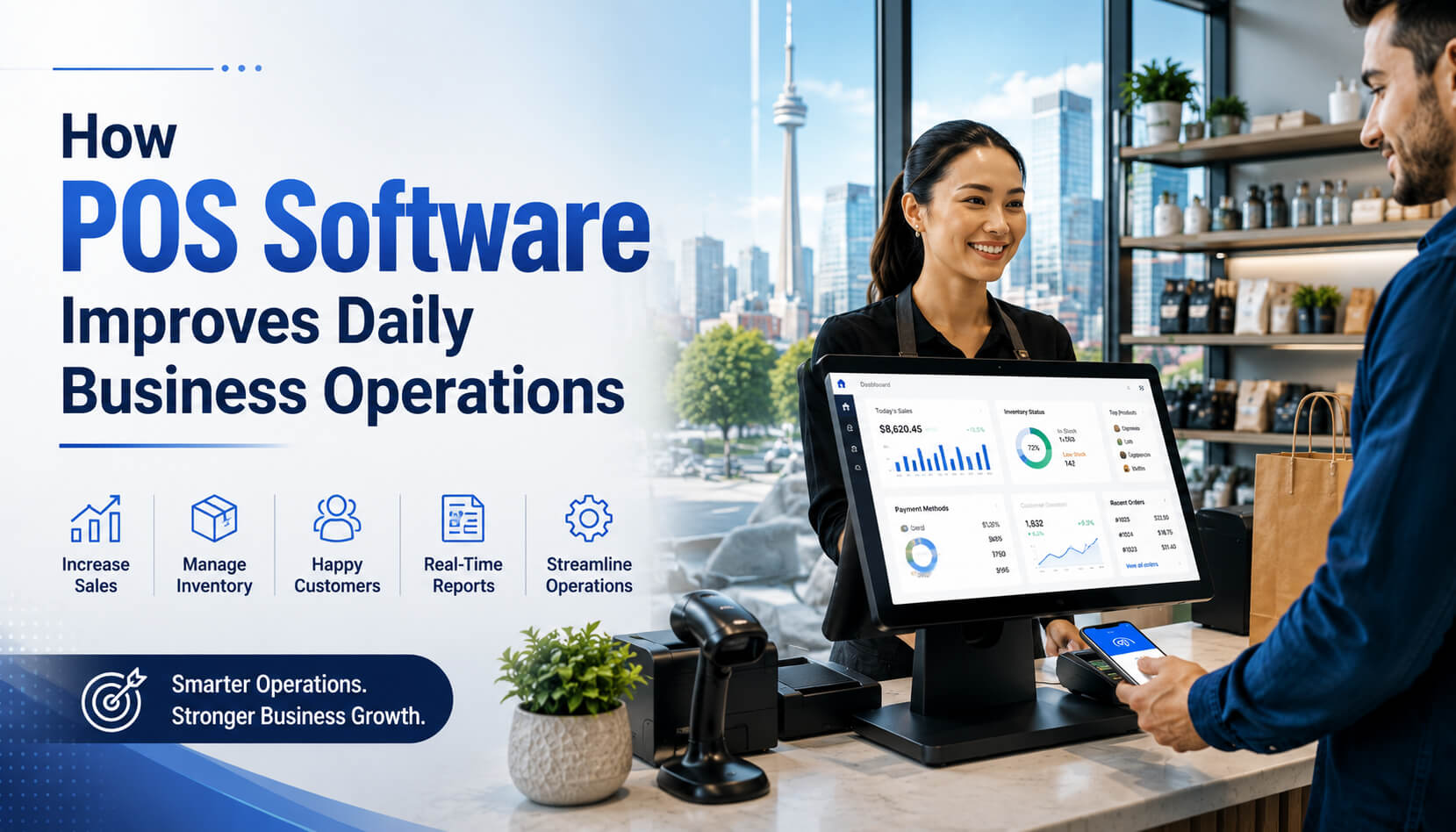
POS software improves daily business operations by making checkout faster, updating inventory automatically, organizing sales data, controlling staff access, and simplifying end-of-day reporting. For Toronto businesses, these benefits can reduce manual work, prevent costly errors, and help teams serve customers more efficiently during busy periods. A modern point-of-sale system is no longer just a digital cash register. It can become the central operating platform for a retail store, restaurant, café, pharmacy, repair shop, salon, grocery store, wholesaler, or multi-location business. This matters in a competitive market such as Toronto. The city's Business Improvement Areas represent approximately 45,000 members, while Toronto welcomes more than 28.2 million visitors annually and has approximately 8,000 restaurants. Local businesses must often manage high customer volumes, seasonal demand, limited storage space, diverse payment preferences, and competition from both nearby stores and online sellers. Understanding the most important POS software benefits can help business owners choose a system that supports real operational needs instead of simply adding another piece of technology. POS software, or point-of-sale software, is a business management system used to record sales, accept payments, manage inventory, organize customer information, monitor employees, and generate operational reports. A traditional cash register mainly stores cash and records transaction totals. Modern POS software connects the transaction at the checkout counter to the rest of the business. A typical POS system may include: SK POS, for example, supports billing, inventory, barcode scanning, customer management, reporting, automatic stock updates, warehouse management, and multi-branch control. Available features vary by package and configuration. A POS system connects each sale to several operational processes. A basic transaction normally follows these steps: This automated flow reduces the number of times employees must enter the same information manually. For example, without integrated POS software, a Toronto retailer may record a sale at the cash register, update inventory in a spreadsheet, enter the payment in an accounting program, and manually adjust the online store. With a properly integrated POS system, much of that work can happen through one transaction. One of the most immediate POS software benefits is a faster checkout process. Employees can scan a barcode or select a product from a configured screen instead of entering prices manually. The system can then apply the correct price, tax, promotion, discount, or reward-point balance. This helps businesses: Consider a café near Union Station during the morning commute. A complicated ordering screen can create delays even when several employees are working. A well-designed POS layout can place popular coffees, breakfast products, modifiers, and payment options where staff can reach them quickly. Professional tip: Arrange the checkout screen according to transaction frequency, not alphabetically. The products employees sell most often should require the fewest taps. Inventory control is one of the most valuable POS software benefits for retailers, restaurants, pharmacies, electronics stores, grocery businesses, and wholesalers. When an item is sold, the system can automatically reduce its available quantity. Managers can then view stock levels without counting every product manually. Depending on the system, inventory features may include: SK POS includes real-time stock tracking, warehouse management, automatic stock updates, apparel variant management, barcode support, and serial-number or IMEI tracking for products that require individual identification. These functions are particularly useful in Toronto, where many independent businesses operate in locations with limited storage. A Queen West fashion retailer, for instance, may need to track each style by size and colour without overfilling a small stockroom. An electronics retailer in Scarborough may need serial-number records for warranties, repairs, or returns. Important warning: POS inventory is only as accurate as the procedures around it. Employees must correctly record deliveries, returns, damaged products, internal use, waste, and stock transfers. Software cannot compensate for consistently incorrect stock-handling practices. A modern POS system turns individual transactions into usable business information. Instead of waiting until the end of the month to determine what happened, an owner may be able to review: These reports help business owners answer practical questions: Expert advice: Do not create dozens of reports simply because the software allows it. Start with three to five key performance indicators connected to specific decisions, such as labour scheduling, stock purchasing, average order value, refund activity, and gross margin. POS software can help managers organize employee activity without giving every team member unrestricted access. Common employee-management functions include: A cashier may need permission to process standard sales but not delete transactions. A supervisor may be allowed to approve refunds, while only an owner or administrator can change product prices or export financial reports. Role-based access reduces accidental changes and makes it easier to investigate discrepancies. Common client mistake: Many businesses give every employee the same administrator login because it feels convenient during setup. This removes accountability and increases the risk of unauthorized discounts, inventory changes, refunds, and access to customer information. Closing a business can become time-consuming when cash, card payments, refunds, tips, online orders, and delivery orders are recorded separately. POS software can consolidate these figures into a daily closing report. A strong closing procedure should include: This process gives managers a repeatable way to close each shift instead of relying on memory or handwritten notes. Customers may never see the reporting or inventory system, but they feel its effect. A properly configured POS system can improve customer service through: SK POS includes customer records, purchase-history management, reward points, and support for multiple payment methods. For a salon in Etobicoke, customer records may help staff identify previous services or product purchases. For a repair shop in Scarborough, the POS may keep device, repair-status, parts, and service-history information in one place. For a retailer in Yorkville, purchase histories can support more personalized service for returning clients. Businesses should, however, collect only the customer information they genuinely need and clearly explain how it will be used. PIPEDA establishes rules for how businesses subject to the law handle personal information in commercial activities. The Office of the Privacy Commissioner of Canada advises organizations to protect personal information against loss, theft, unauthorized access, disclosure, copying, use, or modification using safeguards appropriate to the sensitivity of the information. Operating more than one location can create inconsistent product names, prices, permissions, and reports. Multi-location POS software can centralize: A restaurant group with locations in North York and Scarborough, for example, may use one system to maintain menu items and compare sales while preserving branch-specific inventory and employee records. A retailer expanding from Toronto into Mississauga or Vaughan can add locations without building a separate reporting process for each store. A POS system becomes more useful when it connects with tools the business already uses. Possible integrations include: An integrated system can prevent duplicate work. For example, when an online order is placed, inventory may be reduced for both the website and physical location, helping prevent a product from being sold twice. Before purchasing software, ask the provider to demonstrate the exact integration. A general statement that two products "work together" does not always mean inventory, refunds, taxes, customer records, and product variants synchronize in both directions. Retail POS software can support: A clothing store in Queen West or Kensington Market may prioritize size-and-colour tracking, while an electronics shop in Scarborough may need serial-number and warranty records. Restaurant POS software may include: A busy restaurant on the Danforth may benefit from sending orders directly to a kitchen display instead of relying on handwritten tickets. These businesses often require: A high-volume grocery store in North York or Brampton may place transaction speed and inventory movement ahead of advanced customer-marketing features. Service-oriented POS systems can combine: A repair-management POS may track: SK POS specifically lists repair-order, customer-device, spare-parts, status, and service-history management among its available functionality. Toronto's calendar includes festivals, sporting events, markets, concerts, and seasonal shopping periods. The city reports special events throughout the year and a visitor economy exceeding 28 million annual visitors, creating meaningful demand changes for some hospitality and retail operators. Pop-up vendors should evaluate: Consider an illustrative independent retailer with a physical store in Leslieville and an e-commerce website. Before implementing an integrated POS system: After implementing a properly configured POS system: This example is illustrative, but the operational problems are common: duplicate data entry, unreliable stock counts, disconnected sales channels, and delayed reporting. SK Soft Solutions also publishes a testimonial from a Toronto retail customer who reports improved inventory management and sales tracking after implementation, along with responsive support during the transition. As with any vendor-published testimonial, businesses should verify references and request a demonstration relevant to their own workflow. Toronto is not one uniform retail market. Business conditions differ considerably between neighbourhoods and industries. A downtown café may experience concentrated commuter rushes. A restaurant near a major venue may see event-driven traffic. A North York grocery store may process a large number of products and transactions. A Yorkville retailer may prioritize detailed customer histories. A Scarborough repair shop may require serial-number and service records. A multi-location operator may need centralized control across Toronto and the GTA. Toronto's large network of Business Improvement Areas also reflects the city's many distinct commercial districts. The City of Toronto says its BIAs collectively represent approximately 45,000 members. Local operators should consider: The correct system for a Kensington Market shop may not be the correct system for a Vaughan wholesaler or Mississauga restaurant group. Choosing between cloud-based and locally installed POS software affects access, maintenance, connectivity, and cost. A cloud POS stores or synchronizes information through online infrastructure. Potential advantages include: Potential limitations include: An on-premise system operates primarily through local computers or servers. Potential advantages include: Potential limitations include: A cloud POS is often suitable for businesses that need remote access, e-commerce synchronization, or multi-location reporting. An on-premise system may be appropriate when reliable local operation and direct infrastructure control are priorities. The better choice depends on the business---not on which technology is currently more popular. POS software cost in Toronto depends on: At the time this article was prepared, SK Soft Solutions listed a monthly package at CAD $30, an annual package at CAD $300, and a one-time package at CAD $1,500, with a listed CAD $50 setup fee for those packages; features differ between plans, so businesses should confirm current pricing, taxes, inclusions, hardware, and contract terms directly before purchasing. The lowest monthly price is not necessarily the lowest total cost. A low-cost system may become expensive when it lacks: Before accepting a quote, ask: Do not evaluate a POS system only by its subscription fee. Compare the cost with measurable operational improvements. A simple calculation is: Estimated monthly POS value = labour savings + reduced errors + reduced stock loss + added gross profit − total monthly POS cost Possible sources of value include: No provider should guarantee a specific return without studying the business's transaction volume, staffing, margins, implementation quality, and current processes. The cheapest system may not support the workflow your business actually needs. Start by documenting the required processes, then compare prices among systems capable of handling those processes. Do not move a disorganized spreadsheet directly into the new POS. Clean up: Every employee should know how to: Managers need additional training for reporting, inventory adjustments, permissions, reconciliation, and troubleshooting. A fast POS application can still perform poorly on an unreliable network. Test: Each person should have an individual account with only the permissions needed for that role. Your team should know what to do during: A POS system requires regular operational maintenance even when the software is cloud-based. Keep POS applications, operating systems, browsers, terminals, and connected devices updated according to provider instructions. Remove former employees promptly and update permissions when responsibilities change. Compare POS totals with cash, card-processor reports, online orders, refunds, discounts, and gift-card activity. Count selected categories regularly instead of waiting for one large annual inventory. Frequent cycle counts can help identify: Do not assume offline mode works exactly as expected. Test it before an outage occurs and document which functions remain available. Use a business-appropriate router, strong passwords, controlled administrative access, and a separate network for guests where practical. Limit customer-data collection to legitimate business purposes and protect it according to its sensitivity. Canadian privacy guidance emphasizes accountability, identified purposes, limited collection, consent, access controls, and appropriate safeguards. PCI DSS provides baseline technical and operational requirements for environments that store, process, or transmit payment-account data. Businesses should use approved payment solutions and follow the guidance of their payment processor and POS provider rather than storing sensitive card information unnecessarily. Managers should investigate: Employees should know whom to contact when the system stops working. Store support details somewhere accessible even when the POS terminal or internet connection is unavailable. SK Soft Solutions lists Toronto, Scarborough, North York, Etobicoke, Mississauga, Brampton, Markham, Vaughan, and surrounding GTA communities among its POS service areas. Downtown retailers, restaurants, cafés, and service providers often need fast checkout, compact hardware, mobile terminals, and reliable performance during commuter, event, and tourism peaks. Relevant areas include: Scarborough businesses may need POS software for grocery stores, pharmacies, restaurants, electronics retailers, repair shops, wholesalers, and multi-product operations. Barcode scanning, detailed inventory, serial-number tracking, multilingual support, and local training may be especially useful. North York contains shopping centres, restaurants, professional services, supermarkets, clinics, salons, and multi-location operators. Businesses around Yonge--Sheppard, Yonge--Finch, Don Mills, and Downsview may need scalable inventory, staff controls, customer management, and consolidated reporting. Etobicoke POS users include neighbourhood retailers, restaurants, cafés, salons, service providers, and businesses connected to airport-area activity. A flexible system can support both steady local customers and changing events, travel, or seasonal demand. Independent retailers in these neighbourhoods may prioritize: Restaurants, cafés, specialty retailers, and service businesses may benefit from fast order entry, kitchen workflows, inventory control, table management, appointments, and customer histories. Mississauga businesses may require larger inventories, warehouse functions, franchise reporting, and multi-location controls. Retailers, restaurants, grocery businesses, wholesalers, and service companies in Brampton may need high-volume checkout, detailed inventory, employee permissions, and scalable reporting. Businesses in Markham and Richmond Hill often benefit from multilingual capabilities, customer management, e-commerce integration, appointment functions, and multi-branch visibility. Retail centres, restaurants, showrooms, wholesalers, and growing multi-site businesses in Vaughan may prioritize warehouse management, product transfers, consolidated reports, and scalable access. SK Soft Solutions provides POS software designed to help Toronto businesses manage sales, billing, inventory, customers, employees, warehouses, and reports through one platform. SK Soft Solutions is based in Scarborough and serves businesses throughout Toronto and surrounding GTA communities, including North York, Etobicoke, Mississauga, Brampton, Markham, and Vaughan. SK POS offers functionality for: Available features include inventory management, automatic stock updates, barcode support, serial-number tracking, customer rewards, sales reporting, stock forecasting, warehouse management, product variants, repair management, and multi-branch control. The company's published packages include online training and support, while its service page advertises assistance with setup, training, updates, and troubleshooting. Confirm the response times, support channels, emergency coverage, and package inclusions that apply to your agreement. Monthly, annual, and one-time package structures are listed, allowing businesses to compare different payment models based on their operational requirements and long-term plans. A business may begin with one terminal and later need additional users, products, warehouses, or branches. Choosing scalable POS software reduces the risk of replacing the entire operating system whenever the business expands. The greatest POS software benefit is not simply faster payment processing. It is the ability to connect sales, inventory, customers, employees, products, and reporting in one organized workflow. The right system can help a Toronto business: The system must still be configured correctly, supported by reliable hardware and networking, and used consistently by trained employees. Explore POS software in Toronto from SK Soft Solutions to review available features, packages, industry solutions, service areas, and consultation options. Ready to improve checkout, inventory, reporting, and daily business management? Visit the Toronto POS software service page and request a demonstration or consultation based on your actual workflow. POS software helps Toronto businesses process sales faster, track inventory, control staff access, organize customer information, and generate real-time reports. POS software costs vary according to the package, hardware, users, locations, setup, integrations, payment processing, and support requirements. Yes, small Toronto businesses can use POS software to reduce manual work, improve checkout accuracy, monitor stock, and access clearer sales information. Cloud POS software usually provides more inventory, reporting, integration, customer-management, and remote-access functions than a traditional cash register. Yes, multi-location POS software can centralize products, prices, inventory, employees, customer information, and sales reports across GTA branches. Some POS systems provide limited offline functionality, but businesses should confirm and test exactly which sales, payment, and synchronization features remain available. SK Soft Solutions provides POS software and support for businesses in Toronto, Scarborough, North York, Etobicoke, Mississauga, Brampton, Markham, Vaughan, and surrounding GTA areas.What Is POS Software?
How Does a POS System Work?
The Most Important POS Software Benefits
1. Faster and More Accurate Checkout
2. Real-Time Inventory Management
3. Better Sales Reporting
4. Easier Employee Management
5. Simpler End-of-Day Reconciliation
6. Improved Customer Experience
7. Better Multi-Location Control
8. Easier Integration With Other Business Systems
How POS Software Helps Different Toronto Businesses
Retail Stores
Restaurants and Cafés
Pharmacies and Grocery Stores
Salons and Service Businesses
Repair Shops
Pop Ups and Seasonal Businesses
A Practical Toronto POS Example
Why Toronto Businesses Have Distinct POS Needs
Cloud-Based POS vs. On-Premise POS
Cloud-Based POS
On-Premise POS
Which Is Better?
How Much Does POS Software Cost in Toronto?
Questions to Ask About POS Pricing
How to Estimate POS Return on Investment
Common POS Implementation Mistakes
Choosing Based Only on Price
Importing Poor-Quality Product Data
Skipping Staff Training
Failing to Test the Internet and Network
Giving Everyone Administrator Access
Launching Without a Backup Procedure
POS Maintenance and Prevention Tips
1. Install Approved Updates
2. Review Employee Accounts Monthly
3. Reconcile Sales Every Day
4. Perform Inventory Cycle Counts
5. Test Offline and Backup Procedures
6. Protect the Business Network
7. Collect Only Necessary Customer Data
8. Use Appropriate Payment Security
9. Review Unusual Activity
10. Keep Support Information Accessible
POS Software Across Toronto and the GTA
Downtown Toronto
Scarborough
North York
Etobicoke
Queen West, Kensington Market, and The Junction
The Danforth and Leslieville
Mississauga
Brampton
Markham and Richmond Hill
Vaughan
Why Choose Us for POS Software in Toronto
Toronto Based Support
Solutions for Different Industries
Configurable Business Workflows
Training and Support
Flexible Pricing Options
Support for Business Growth
Improve Your Daily Operations With Toronto POS Software
Local FAQs About POS Software
What are the main POS software benefits for Toronto businesses?
How much does POS software cost in Toronto?
Can a Toronto small business use POS software?
Is cloud POS software better than a traditional cash register?
Can POS software manage more than one GTA location?
Does POS software work during an internet outage?
Where can I find POS software support in Toronto?