02 May, 2026
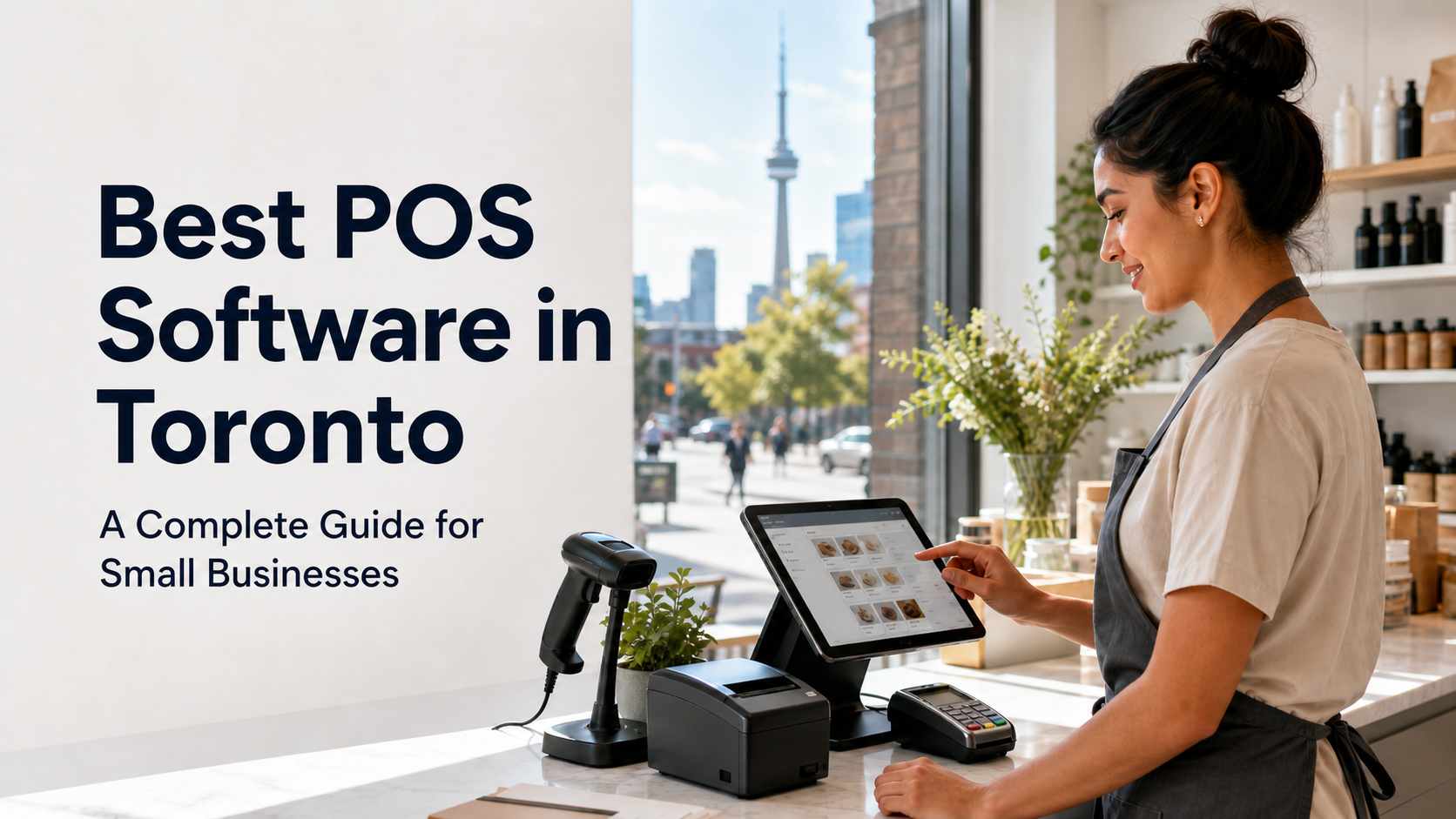
Best POS Software in Toronto - A Complete Guide for Small Businesses
Learn about best POS software Toronto, key features, benefits, pricing factors, and how SK POS helps Toronto businesses work smarter.
The best POS software in Toronto is the one that helps your business process sales quickly, manage inventory accurately, accept modern payments, and make smarter decisions from daily sales data. For most Toronto small businesses, that means choosing a POS system with billing, inventory management, barcode support, customer records, payment processing, real-time reporting, staff control, and reliable local support. Toronto businesses operate in a competitive, fast-moving market. A café near Union Station needs speed during the morning rush. A pharmacy in Scarborough needs accurate stock tracking. A clothing store in Queen West needs size, colour, barcode, return, and discount management. A restaurant on the Danforth needs smooth front-of-house and kitchen order flow. That is why choosing the best POS software Toronto businesses can rely on is not just a technology decision. It is an operations decision. SK Soft Solutions provides SK POS for Toronto retailers, wholesalers, restaurants, pharmacies, grocery stores, apparel shops, electronics stores, repair shops, and service businesses. The system is designed to manage billing, inventory, customers, sales reports, barcode scanning, stock forecasting, and daily business tasks from one easy platform. POS software, or point-of-sale software, is the system a business uses to record sales, accept payments, manage products, track customers, and view reports. A modern POS system usually includes: In simple terms, POS software connects your sales counter to the rest of your business. When a customer buys an item, the system records the sale, updates stock, applies tax, stores the customer or invoice details, and creates reports you can use later. For Toronto businesses, this matters because local customers expect quick service, accurate pricing, contactless payment options, and clean receipts. The Bank of Canada’s 2024 payment research found that contactless payments made up almost two-thirds of in-person payments, which means tap, card, and mobile wallet support are now basic requirements for most in-store businesses. Toronto has one of the busiest small business environments in Canada. The City of Toronto says the city has the largest number of Business Improvement Areas of any urban centre in the world, representing 45,000 members. That means local retailers, restaurants, salons, service providers, and specialty stores are competing in dense commercial districts where every customer interaction matters. A reliable POS system helps small businesses handle three common Toronto challenges: speed, accuracy, and control. Many Toronto businesses deal with sudden rushes. Restaurants see lunch spikes. Convenience stores get commuter traffic. Retail shops get weekend shoppers. Pharmacies and grocery stores need fast billing when lines build up. A slow POS system can create: A strong POS system keeps checkout simple, even when the store is busy. Inventory problems are one of the most common issues for local businesses. A retailer may not realize a best-selling product is almost sold out. A restaurant may overbuy ingredients. An electronics shop may lose track of serial-numbered items. A pharmacy may need better control over product movement. POS software helps by tracking: SK POS includes inventory management, warehouse management, automatic stock updates, real-time stock tracking, product details, barcode support, stock forecasting, and reporting features. Many small business owners still rely on memory, notebooks, spreadsheets, or end-of-day cash totals. That can work in the early stage, but it becomes risky as sales grow. A good POS system shows: This helps Toronto owners make practical decisions, such as ordering more of a fast-moving item before a long weekend or reducing stock on slow seasonal products. Not every POS system is right for every business. The best POS software for a Toronto business should match the way the business actually operates. The sales screen should be simple enough for new staff to learn quickly. This is especially important for restaurants, retail shops, grocery stores, and seasonal businesses that may hire part-time employees. Look for: Real-time inventory helps prevent stock confusion. When an item sells, the system should update inventory automatically. This is useful for: Barcode support reduces typing mistakes and speeds up checkout. This is especially valuable for high-volume stores such as convenience stores, pharmacies, supermarkets, and apparel retailers. SK POS supports barcode features, product details, inventory tracking, IMEI and serial number management, and repair management, making it practical for electronics, mobile phone, apparel, pharmacy, and service businesses. Toronto customers have many choices. A POS system with customer management can help businesses build repeat sales. Useful customer tools include: For example, a salon in Liberty Village can track customer preferences. A repair shop in Scarborough can track device history. A clothing store in Kensington Market can identify repeat buyers and offer loyalty rewards. POS reports help owners stop guessing. Important reports include: SK POS includes sales reports, profit and loss summary, store management, reporting, stock forecasting, and business analytics features. Payment security is not optional. The PCI Security Standards Council explains that PCI DSS defines technical and operational requirements for protecting environments where payment account data is stored, processed, or transmitted. For safety, your POS setup should: Toronto businesses in Ontario usually need to charge the correct HST when applicable. The CRA gives the example that a sale delivered to a Toronto customer is charged 13% HST because the place of supply is Ontario. A POS system should help you set up taxes correctly, create accurate receipts, and prepare organized sales reports for your accountant. Retail stores need a POS system that can handle products, barcodes, returns, discounts, and inventory. Best-fit features include: Example: A clothing store in Queen West may need size, colour, and seasonal stock tracking. A gift shop in the Distillery District may need barcode billing and holiday sales reports. Restaurants need speed, order accuracy, and staff control. Best-fit features include: Example: A café near King Street may need fast counter service, while a restaurant in Little Italy may need better order flow between servers and the kitchen. SK Restaurant POS is built to help cafés and restaurants manage orders, tables, payments, staff activity, kitchen workflow, and daily sales from one system. Pharmacies need accuracy, product control, and reliable records. Best-fit features include: SK Pharmacy POS helps Toronto pharmacies manage billing, medicine stock, customer records, and daily sales. Electronics retailers need more than basic billing. Best-fit features include: SK Electronics POS supports products, warranties, serial numbers, stock levels, and sales reports. Apparel businesses need flexible inventory because one product may have many sizes, colours, and styles. Best-fit features include: SK Apparel POS supports sizes, colours, barcodes, returns, discounts, and sales reports. POS software cost in Toronto depends on the features, number of users, hardware, setup work, support needs, and whether the business needs monthly, annual, or one-time pricing. For SK POS, SK Soft Solutions lists these package options on its Toronto POS service page: The listed plans include features such as sales processing, accounts management, inventory management, warehouse management, order management, multi-branch control, automatic stock updates, sales reports, real-time stock tracking, online training, and support, while the Diamond plan includes custom reports and dashboard availability. When comparing POS systems, look beyond the monthly fee. Your total cost may include: The cheapest POS system is not always the best value. A low-cost system can become expensive if it causes slow checkout, missing inventory, wrong tax settings, staff confusion, or poor reporting. Before buying, ask: Toronto customers are used to fast payments, clear receipts, and smooth service. If your payment terminal fails or your staff cannot find products quickly, customers may leave and buy elsewhere. A business in Bloor West Village, Danforth, Yorkville, Kensington Market, Little Italy, The Beaches, Leslieville, or Downtown Toronto often competes with many nearby options. A POS system helps improve the customer experience by making checkout faster and reducing mistakes. Canadian retail spending reached $865.2 billion in 2024, and e-commerce revenue reached $73.7 billion, according to Statistics Canada. This matters because many Toronto businesses now sell both in-store and online. A modern POS system should support the shift between physical and digital sales by helping with: Many Toronto retailers and restaurants hire part-time, seasonal, or shift-based staff. A complicated POS system creates mistakes. A simple POS interface helps new employees learn faster. SK Soft Solutions supports Toronto and surrounding GTA areas, including Scarborough, North York, Etobicoke, Mississauga, Brampton, Markham, Vaughan, and nearby communities. Scarborough businesses often include pharmacies, grocery stores, restaurants, repair shops, convenience stores, and service providers. SK Soft Solutions is located in Scarborough, making it a practical option for businesses near Lawrence Avenue East, Kennedy Road, Warden, Eglinton East, Agincourt, Malvern, and Scarborough Town Centre. North York businesses may need POS systems for retail stores, restaurants, medical clinics, salons, grocery shops, and multi-location operations. Areas such as Yonge and Sheppard, Don Mills, York Mills, Finch, Downsview, and Bayview Village can benefit from inventory control, reporting, and staff access tools. Etobicoke has many local retailers, restaurants, auto-related businesses, salons, and service companies. POS software can help businesses in Rexdale, Islington, The Queensway, Mimico, Long Branch, and Bloor West-adjacent areas manage billing, stock, and customer records. Downtown businesses need speed and reliability. Restaurants, cafés, gift shops, apparel stores, convenience stores, and service providers near King Street, Queen Street, Spadina, Yonge-Dundas, the Financial District, Liberty Village, and the Harbourfront need fast checkout and clear reporting. Neighborhood businesses in East York, Greektown, Leaside, St. Clair West, Oakwood Village, and nearby areas often need easy-to-use systems that support customer loyalty, daily sales, and simple staff training. Businesses outside Toronto still face the same needs: fast sales, accurate inventory, payment support, tax reporting, and business visibility. A POS system that supports multi-branch control is especially useful for owners with locations across the GTA. Follow these steps before making a decision. A restaurant does not need the same POS setup as a pharmacy. A clothing store does not need the same workflow as an electronics repair shop. Start by identifying your main category: Create a practical checklist: A basic retail setup may need: A restaurant may need: Do not only watch a demo. Test real business tasks: This is where many business owners make mistakes. They buy software but do not plan training. Then staff struggle during busy hours. Choose a provider that can help with setup, training, issue fixing, updates, and ongoing support. Some printers, scanners, cash drawers, or terminals may not work with your chosen POS software. Choose the software first, then confirm compatible hardware. If your product names, prices, or categories are messy before migration, your new POS will also be messy. Clean your product list before setup. Not every employee should be able to edit prices, delete sales, change tax settings, or access reports. Use role-based permissions. A POS system is not only for checkout. Review reports weekly so you can spot low stock, slow products, sales drops, and staff training issues. Do not share admin passwords, leave terminals unlocked, or store card details manually. Fraud and identity theft remain serious issues in Canada, and the Canadian Anti-Fraud Centre collects information on fraud affecting Canadians. Good POS maintenance prevents downtime and protects your business. Updates can improve security, fix bugs, and improve compatibility. Schedule updates outside peak hours when possible. Use reliable backup practices for: Remove accounts for former staff and limit access based on job role. Before opening, check: Compare physical stock with POS records. This helps catch theft, supplier errors, damage, and scanning mistakes. Every cashier or server should know how to: SK Soft Solutions offers POS software in Toronto for businesses that need a simple, secure, and practical system for daily operations. SK Soft Solutions supports Toronto retailers, wholesalers, restaurants, pharmacies, grocery stores, and service businesses with SK POS. The system is built to help manage billing, inventory, customers, reports, barcode scanning, and daily tasks. SK POS includes options for: SK POS includes inventory management, product details, IMEI and serial number management, barcode support, repair management, sales management, customer management, store reporting, stock forecasting, reward points, payment processing, scalability, and multi-language support. SK Soft Solutions lists online training, 24/7 support, and setup support as part of its POS packages, helping businesses reduce downtime and get staff comfortable with the system. Whether you run one shop in Scarborough or multiple locations across Toronto and the GTA, SK POS supports features such as multi-branch control, warehouse management, automatic stock updates, and reporting. The right POS software should make your business easier to run, not harder. It should help your team process sales faster, manage inventory with fewer mistakes, track customers, review reports, and grow with confidence. For a Toronto-ready POS system built for retailers, restaurants, pharmacies, apparel shops, electronics stores, grocery businesses, wholesalers, and service providers, visit SK Soft Solutions here: best POS software Toronto. The best POS software for small businesses in Toronto is a system that supports fast billing, inventory tracking, secure payments, reporting, customer management, and reliable local support. POS software in Toronto can cost monthly, yearly, or one-time fees depending on features, hardware, setup, users, support, and business size. Yes, SK Soft Solutions offers POS software for Scarborough businesses, including retailers, restaurants, pharmacies, grocery stores, repair shops, and service providers. Yes, modern POS software can update stock automatically after each sale, helping businesses reduce stock errors and avoid running out of key products. Toronto restaurants usually need order management, table handling, kitchen workflow, payment processing, staff tracking, daily reports, and fast checkout. Yes, barcode scanning helps Toronto retailers speed up checkout, reduce typing errors, track products accurately, and manage inventory more efficiently. You should upgrade your POS system when checkout is slow, inventory is inaccurate, reports are unclear, staff make frequent errors, or your business is growing into multiple locations.What Is POS Software?
Why Toronto Small Businesses Need Reliable POS Software
Fast Checkout During Busy Hours
Better Inventory Control
Clearer Business Decisions
Best POS Software Features Toronto Businesses Should Look For
1. Easy Billing and Sales Management
2. Real-Time Inventory Management
3. Barcode and Product Management
4. Customer Management and Loyalty
5. Reporting and Analytics
6. Secure Payment Processing
7. Tax and Compliance Support
Best POS Software in Toronto by Business Type
Retail Stores
Restaurants and Cafés
Pharmacies
Electronics and Mobile Shops
Apparel Stores
How Much Does POS Software Cost in Toronto?
Common POS Cost Factors
Professional Advice: Do Not Choose on Price Alone
Local POS Challenges in Toronto
High Customer Expectations
Dense Local Competition
Multi-Channel Selling
Staff Turnover and Training
POS Software in Toronto and Nearby Areas
POS Software in Scarborough
POS Software in North York
POS Software in Etobicoke
POS Software in Downtown Toronto
POS Software in East York, York, and The Danforth
POS Software Near Toronto: Mississauga, Brampton, Markham, Vaughan, Richmond Hill, Pickering, Ajax, and Oakville
How to Choose the Best POS Software in Toronto
Step 1: Define Your Business Type
Step 2: List Your Must-Have Features
Step 3: Review Hardware Needs
Step 4: Test the System With Real Scenarios
Step 5: Confirm Support and Training
Common Client Mistakes to Avoid
Mistake 1: Buying Hardware First
Mistake 2: Not Cleaning Product Data
Mistake 3: Giving Every Staff Member Admin Access
Mistake 4: Ignoring Reports
Mistake 5: Skipping Security Basics
POS Maintenance and Prevention Tips
Keep Software Updated
Back Up Your Data
Review User Access Monthly
Test Hardware Before Busy Periods
Check Inventory Regularly
Train Staff on Common Tasks
Why Choose Us for POS Software in Toronto
Local Experience With Toronto Business Needs
Flexible POS Options
Strong Feature Set
Support and Training
Built for Growth
Ready to Find the Best POS Software in Toronto?
Frequently Asked Questions (FAQs)
What is the best POS software for small businesses in Toronto?
How much does POS software cost in Toronto?
Does SK Soft Solutions offer POS software in Scarborough?
Can POS software manage inventory in real time?
What POS features do Toronto restaurants need?
Is barcode scanning important for retail POS software?
When should I upgrade my POS system in Toronto?