22 August, 2026
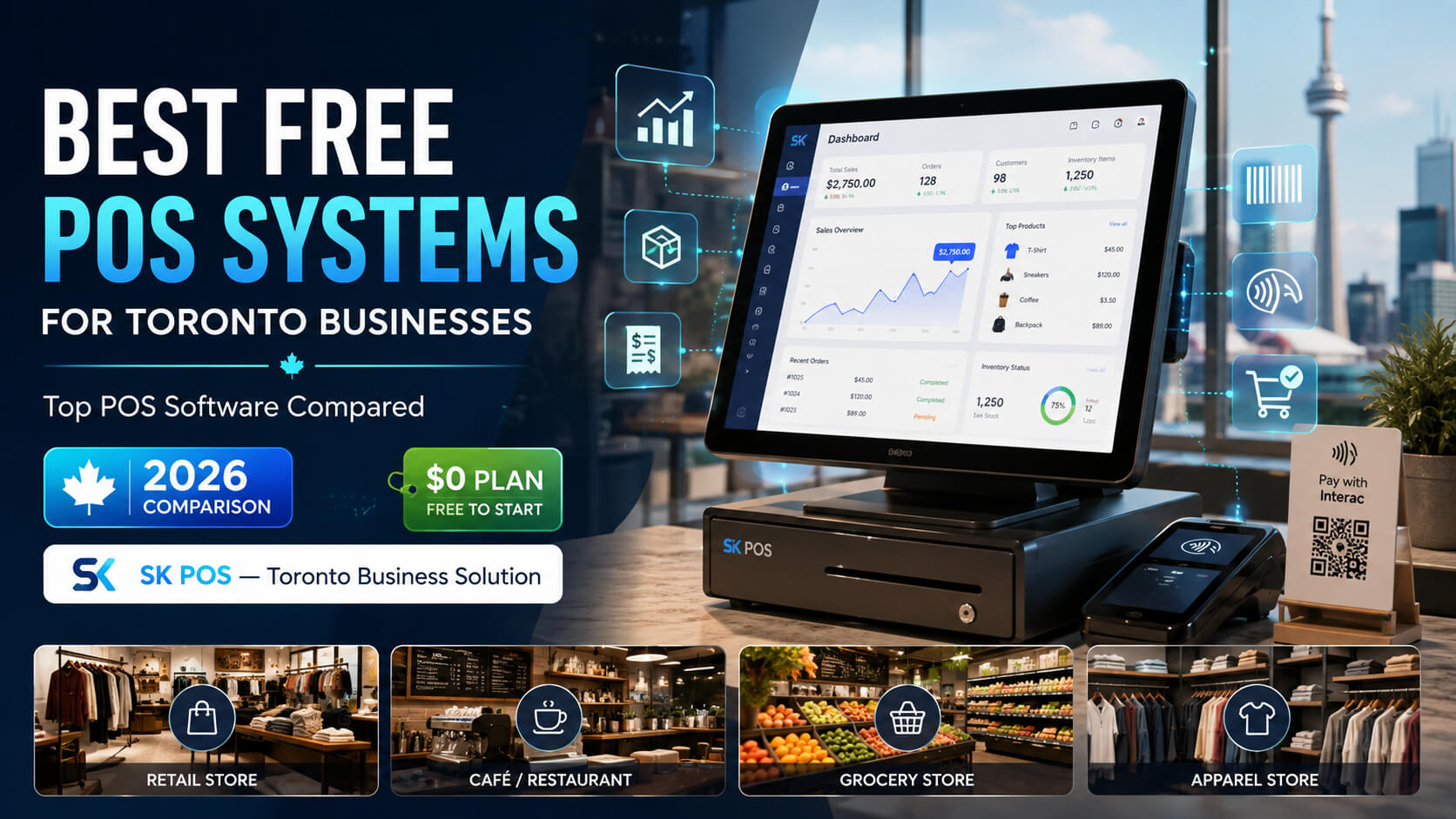
Best Free POS Systems for Toronto Businesses, Compared
Compare the best free POS systems for Toronto businesses in 2026, including Square, SK POS, Loyverse, and more. Discover features, pricing, inventory tools, and the right POS solution for your retail, restaurant, or small business.
Running a business in Toronto can be expensive before the first customer even walks through the door. Rent, inventory, payroll, payment-processing fees, marketing, insurance and equipment all compete for the same budget.
That makes a free POS system especially appealing to startups and smaller retailers, restaurants, cafés, pharmacies and service businesses.
But "free POS" does not always mean the same thing.
Some providers offer genuinely free core POS software but make money through payment-processing fees. Others provide free software with paid advanced features. Open-source platforms can eliminate software subscriptions but require technical management. Some professional POS platforms, including SK POS, provide a free trial rather than a permanently free plan.
For Toronto businesses, the best choice depends on more than price. Payment compatibility, inventory capabilities, local support, business type and the cost of upgrading later all matter.
This guide compares the best free POS software and free-trial POS systems for Toronto businesses so you can choose based on actual operating needs rather than a $0 headline.
The best free POS systems for Toronto businesses include Square, SK POS, Loyverse, Odoo, Imonggo, uniCenta and Floreant POS. Square is a strong all around free option, while SK POS ranks second for Toronto businesses wanting a locally supported system with a free trial, advanced inventory tools and industry-specific functionality. Important: SK POS is included because Toronto businesses can try the platform free before committing. It is not being presented as permanently free software. SK Soft Solutions currently advertises a free SK POS trial and paid packages for continued use. Best for: startups, boutiques, cafés, service businesses, market vendors and small retailers. Square earns the number-one position because its core Canadian Point of Sale software has a $0 monthly software fee. That makes it particularly attractive for a new Toronto business that wants to start processing transactions without immediately adding another software subscription. Square states that its Canadian POS has no setup or monthly software fee for the basic plan. Businesses instead pay transaction fees when accepting payments. What Does Square POS Include? The free Square for Retail plan currently includes: Square's Canadian retail plan remains $0 per month for its free tier, with more sophisticated inventory and reporting available through paid plans. Why Is Square Good for Toronto Businesses? Square is particularly useful when simplicity matters. Imagine a new coffee kiosk in Kensington Market, a boutique in Queen West or a weekend vendor operating at Toronto events. The owner may need to accept debit and credit cards immediately but may not yet need advanced warehouse or multi-branch functionality. Square allows that business to start small. Its Canadian platform also supports major cards and Interac transactions, reducing the need to operate completely separate checkout and payment systems. Where Does Square Become Expensive? Free POS software does not mean free payments. Transaction fees still apply, and advanced inventory, barcode-label printing, automatic purchase orders and deeper retail tools require upgrading. For a growing Toronto retailer with substantial transaction volume or complicated stock requirements, total cost should be calculated instead of looking only at the $0 monthly plan. Best overall choice if: you want a simple free POS and integrated Canadian payments without complicated setup. Best for: Toronto retailers, restaurants, pharmacies, electronics stores, apparel businesses, grocery stores, repair shops, wholesalers and businesses expecting to expand. SK POS takes the number-two position because it offers something different from most free POS systems on this list: a Toronto-focused business solution with local support and a free trial before purchase. SK POS is developed by SK Soft Solutions Inc., which operates from Scarborough and serves Toronto and surrounding GTA markets including North York, Etobicoke, Mississauga, Brampton, Markham and Vaughan. Is SK POS Completely Free? No. This distinction is important for transparency. SK POS offers a free trial rather than a permanently free software plan. The company's Toronto POS page currently promotes a free SK POS trial, while another published company page references a 15-day free-trial offer. Paid packages apply if a business chooses to continue using the system. That can still make SK POS highly relevant to someone searching for free POS systems because the business can test the software before paying. What Makes SK POS Different? SK POS is designed for businesses that may need more operational control than a basic free checkout application provides. Published features include: Industry-Specific POS Options SK Soft Solutions provides POS configurations for businesses such as: That matters because a Toronto electronics retailer, for example, may need serial-number or IMEI tracking that a simple free POS does not provide. An apparel retailer may need size, colour and product variation management. A pharmacy may have completely different inventory requirements. Why Is SK POS Particularly Relevant in Toronto? Local support is the main differentiator. Many free POS applications are global self-service products. SK Soft Solutions is based in Scarborough and markets SK POS specifically to businesses throughout Toronto and the GTA. That may be valuable when a business needs help with: Where Does SK POS Have a Limitation? The obvious limitation for someone specifically requiring free POS software forever is that SK POS does not meet that criterion. After the free trial, it is a paid solution. That is why Toronto startups with extremely basic requirements may prefer Square or Loyverse initially. However, businesses that already know they need advanced inventory, multi-branch tools, specialized workflows or accessible Toronto support may prefer testing SK POS rather than migrating away from a basic free platform later. CTA: Looking for Free POS Systems in Toronto? Start by testing SK POS before committing to a paid system. Explore the SK POS free trial to see how your Toronto business can manage sales, inventory, billing, customers, products and reports from one platform. Try SK POS Free → See Whether It Fits Your Business SK Soft Solutions Inc. currently offers a free trial through its Toronto POS page. Best for: small retailers, cafés, bakeries and businesses prioritizing inventory functionality. Loyverse is another strong candidate for businesses searching for free POS software with inventory management. Unlike platforms where most meaningful stock tools immediately require a subscription, Loyverse includes several useful inventory functions within its free POS offering. Its current free functionality includes: Where Is the Catch? Advanced inventory is not free. Businesses needing purchase orders, stock transfers and more sophisticated inventory analysis will need a paid add-on. Employee management and access to longer sales histories are also paid extensions. Who Should Use Loyverse? Consider Loyverse if you: Best choice if: inventory is more important to you than having an all-in-one Canadian payment ecosystem. Best for: growing businesses that may eventually need inventory, accounting, CRM, ecommerce and other operational software. Odoo approaches POS differently. It is part of a much larger business-management ecosystem. Odoo's current pricing model includes a One App Free plan with one application and unlimited users through Odoo Online. This can make the POS application interesting for businesses wanting to begin with one operational system and potentially move toward ERP functionality later. Why Consider Odoo? The wider Odoo ecosystem includes applications for: The advantage is scalability. A Toronto business that begins as one retail location could eventually require an ecommerce store, accounting workflows, CRM and more advanced inventory management. Where Does Odoo Stop Being Free? The free model centres on using one application. Once a business requires multiple connected Odoo apps, a paid plan generally becomes relevant. That makes Odoo less attractive to owners looking for a permanently free, all-in-one business suite. Best choice if: your main priority is having an upgrade path into a larger ERP environment. Best for: microbusinesses and owners testing a simple retail concept. Imonggo has historically focused on lightweight cloud POS functionality for smaller merchants. The appeal is simplicity rather than advanced operational management. A very small Toronto operation may only require: For a business at that stage, complex POS software can create more work rather than less. Who Should Consider It? Think about a microbusiness selling a relatively small number of products or testing a concept before opening a larger permanent store. The owner may not need warehouse forecasting, detailed employee controls or sophisticated integrations. Main Limitation Free-plan restrictions can affect the number of users, products or transactions that can be managed. Because vendor limits can change, Toronto businesses should check Imonggo's current plan conditions immediately before signup. Best choice if: your operation is very small and basic POS functionality is enough. Best for: businesses with IT knowledge that want more control over their POS environment. Some Toronto business owners do not want a conventional cloud subscription at all. That is where open source POS software becomes relevant. uniCenta oPOS provides an open-source POS route that can be attractive to businesses capable of managing technical implementation themselves. Advantages of Open-Source POS Open-source POS may provide: But Is Open Source Really Free? The licence may be free. Your time is not. A self-managed POS may require: Paying a developer every time something breaks can quickly eliminate the savings of avoiding a software subscription. Best choice if: your business has internal IT expertise or a trusted technical provider. Best for: independent restaurants wanting a locally operated, restaurant-focused POS. Floreant POS is designed specifically around restaurant operations and has long appealed to businesses seeking downloadable open-source software. Restaurant workflows differ significantly from standard retail checkout. A restaurant may need: Why Consider Floreant? A locally operated POS can be attractive to restaurants that prioritize offline functionality and software control. Why Might a Toronto Restaurant Avoid It? Technical ownership comes with responsibilities. A restaurant owner who simply wants reliable Canadian payment integration, automatic software updates and vendor support may prefer Square for Restaurants or a professional supported POS. Square currently offers a $0/month Canadian Square for Restaurants tier, although payment-processing fees and premium feature charges still apply. Best choice if: you specifically want open-source restaurant POS software and have technical support available. For most new Toronto retailers, Square is an easy starting point because there is no monthly fee for the core retail POS and basic inventory is included. For growing retailers with more complicated stock requirements, SK POS deserves consideration during its free trial because its published functionality includes inventory management, stock forecasting, warehouse management, multi branch control, barcode management and industry specific features. Loyverse sits between those approaches, offering useful free inventory features while charging separately for more advanced inventory capabilities. Retailers Should Check for These Features Before choosing software, confirm whether it supports: Do not choose based solely on the word "free." Choose based on how many manual workarounds the software eliminates. For restaurants, cafés and quick-service businesses, three options stand out for different reasons. Square for Restaurants is attractive for businesses prioritizing integrated Canadian payments and straightforward setup. SK POS Restaurant is worth testing when a Toronto business wants a locally supported system and broader customization. Floreant POS makes sense for technically capable restaurants wanting open-source software. Square's Canadian Restaurant Free tier currently costs $0 per month for its basic software functionality, with processing fees charged separately. Use the following seven-step process. Write down what you absolutely need. Do not begin by comparing brands. Managing 100 products is very different from managing 10,000 SKUs with multiple variants. Make sure the software works with the payment setup you plan to use in Canada. Determine whether you need simple stock quantities or advanced functionality such as purchase orders, warehouses and transfers. A $0 POS subscription can still cost thousands annually in processing fees. Run actual workflows: Ask what happens when you need: This exercise often reveals whether the free system is genuinely economical. A free subscription tells you nothing about payment-processing costs, hardware or upgrades. Migrating years of products, customers and transactions into a completely different platform can become difficult. Basic stock counts may be enough today but insufficient once you introduce suppliers, warehouses or multiple locations. Global self-service software can work perfectly---until you need help during a busy business day. A free trial allows you to test paid software. A free plan allows continued use without a subscription. They are not the same thing. Before committing, find out whether you can export your: Your business data should not become difficult to retrieve simply because you change POS providers. Free POS software works best when business operations are simple. A paid platform becomes easier to justify when your business needs: At that stage, the correct question is no longer: "How can I avoid paying for POS software?" It becomes: "Which POS reduces enough work and errors to justify its cost?" Square is one of the strongest free POS systems for most Toronto small businesses because its basic Canadian POS software has no monthly fee and offers integrated payment processing. SK POS is a strong second option for businesses wanting to test a locally supported, more feature-rich platform through a free trial. SK POS is not permanently free, but SK Soft Solutions currently offers a free trial. This allows Toronto businesses to test its inventory, sales, billing, customer and reporting functions before purchasing a package. The company also advertises Toronto-based support and several industry-specific POS configurations. Loyverse and Square are strong options for basic free inventory management. Loyverse includes essential inventory and low-stock alerts in its free software, while advanced inventory is a paid add-on. Square for Retail includes basic inventory and unlimited items in its Canadian free tier. Yes. Square for Restaurants currently offers a $0/month Canadian free tier, while Floreant provides an open-source restaurant POS option. SK POS Restaurant can also be tested through SK Soft Solutions' free trial if you prefer a Toronto-focused supported solution. Loyverse, Odoo and open-source POS applications are common alternatives to Square, depending on business requirements. SK POS can also be considered when the business wants a free trial before choosing a more feature-rich locally supported solution. Neither is automatically better. Cloud systems are usually easier to deploy and maintain, while open-source software gives technically capable businesses more control. Businesses without technical staff should include maintenance and support costs when evaluating supposedly free open-source software. Some systems support multiple locations, but feature limits vary. Businesses planning several stores should evaluate centralized inventory, transfers, user permissions and reporting before committing. SK POS specifically advertises multi-branch functionality, while Loyverse includes multi-store management in its free core offering. Upgrade when the limitations of free software start creating extra work or operational risk. Advanced inventory, warehouses, multiple branches, employee permissions, specialized reporting, integrations and dedicated support are common reasons businesses move to professional POS software. There is no single best free POS system for every Toronto business. For businesses wanting a genuinely free core POS with Canadian payment integration, Square earns the number one spot. At number two, SK POS is a strong option for Toronto businesses willing to consider a paid platform after testing it free. Its appeal is not simply price---it is the combination of Toronto-based support, inventory functionality, multi-branch capabilities and POS configurations designed for different industries. Loyverse is a particularly good choice when free inventory tools are important. Odoo deserves consideration for businesses thinking ahead to ERP. Imonggo can suit microbusinesses, while uniCenta and Floreant serve owners looking specifically for open-source software. The important point is to compare total operating cost, not just subscription price. A free POS is valuable when it does everything your business needs. When limitations begin producing spreadsheets, manual corrections, disconnected systems or staff frustration, paying for the right platform can be the less expensive decision. Before committing to a POS, test one with the workflows your business actually uses. SK Soft Solutions Inc. gives Toronto businesses the opportunity to try SK POS free and explore sales, inventory, billing, customer management, reporting and industry-specific functionality before choosing a paid package. Try SK POS Free Today See whether SK POS fits your retail store, restaurant, pharmacy, electronics shop, apparel business, grocery store or growing multi-location operation.Direct Answer: What Are the Best Free POS Systems for Toronto Businesses?
Best Free POS Systems in Toronto: Quick Comparison
Rank
POS System
Best For
Free Option
Inventory
Toronto/Canadian Fit
1
Square
Most small businesses
$0 core plan
Yes
Excellent
2
SK POS
Toronto retailers and growing businesses
Free trial
Advanced
Excellent, Toronto-based
3
Loyverse
Inventory-focused small businesses
Free core POS
Yes
Good
4
Odoo POS
Businesses needing an ERP growth path
One app free
Expandable
Good
5
Imonggo
Microbusinesses
Limited free option
Basic
Moderate
6
uniCenta oPOS
Technical users
Open source
Yes
Depends on setup
7
Floreant POS
Restaurants wanting open source
Open source
Restaurant-focused
Depends on setup
1. Square – Best Free POS System for Most Toronto Small Businesses
2. SK POS – Best Free-Trial POS for Toronto Businesses
3. Loyverse – Best Free POS Software With Inventory Management
4. Odoo POS – Best for Businesses Planning to Expand Into ERP
5. Imonggo – Best for Very Small Retail Operations
6. uniCenta oPOS – Best Open-Source POS for Technical Businesses
7. Floreant POS – Best Free Open-Source POS for Restaurants
Which Free POS Is Best for a Toronto Retail Business?
Which Free POS Is Best for Toronto Restaurants?
How Should Toronto Businesses Choose a Free POS System?
1. Define Your Essential Features
2. Count Your Products
3. Check Payment Compatibility
4. Review Inventory Requirements
5. Calculate Transaction Costs
6. Test the Software
7. Calculate the Cost of Growth
Common Mistakes When Comparing Free POS Systems
Choosing Solely Because It Costs $0
Ignoring Future Growth
Underestimating Inventory
Ignoring Local Support
Assuming Every Free Trial Is a Free Plan
Forgetting Data Portability
Free POS vs Paid POS: When Should You Upgrade?
Frequently Asked Questions
What is the best free POS system in Toronto?
Is SK POS free?
What is the best free POS software with inventory management?
Is there free POS software for restaurants in Toronto?
What are the best Square alternatives for free POS software?
Is an open-source POS better than a cloud POS?
Can a free POS handle multiple Toronto locations?
When should I move from free POS software to a paid system?
Conclusion: Which POS Should Your Toronto Business Choose?
Looking for Free POS Systems in Toronto?